
Warm overdrive modelled on a classic tube-screamer circuit.
- Mode
- drive model: Tube, Diode or Digital.
- Voltage
- supply voltage of the tube stage, 0.1 to 2 V.
- Amount
- drive amount.
- Gain Out
- output level of the drive.


A pristine grand and an iconic electric, blended on one creative keyboard.
Twin 88 Keys is built from two pianos you know by heart, blended on one keyboard, with deep creative controls to shape every nuance. Play a chord, and the pristine strings of a concert grand and the iconic tines of a vintage electric piano answer together. The sound that rises between them is one you’ve never heard, yet it feels familiar from the very first note.
A pristine CFX model recorded in California with the finest studio gear. It has a deep, resonant bass, a clear and singing treble, and the long, evolving sustain of a full-size concert instrument, with a natural, finely graded response to every touch. Close, Mono and Cinematic microphones let you decide how near it sits and how it fills the mix.
A vintage 88-key electric piano, deeply sampled in Paris, on every key at multiple velocities. Its tines ring warm and bell-like under a light touch, and bark when you dig in. Blend its DI Box and Acoustic signals to move between the close, clean focus of the direct sound and the open air of the microphone.
Both instruments were sampled across their full dynamic range. The small sounds that make a piano feel alive are here too, from pedal and release noise to the grand’s sympathetic resonance and key-off sounds, each with its own level.
Choose how the two pianos share the keyboard. Turn a single knob from grand to electric and stop anywhere in between. Blend by velocity, and the grand turns electric as you play harder. Blend by range, and one piano carries the bass while the other sings above it. Or blend by tone, darkening one piano so the other comes forward.
Each piano has its own microphones, filters, EQ, envelope and modulation. Set how each one responds to your touch, add a slow tremolo to the electric while the grand stays still, add a gentle pitch drift, or animate the notes across the stereo field. A step arpeggiator and a semi-modular effects engine complete the picture.
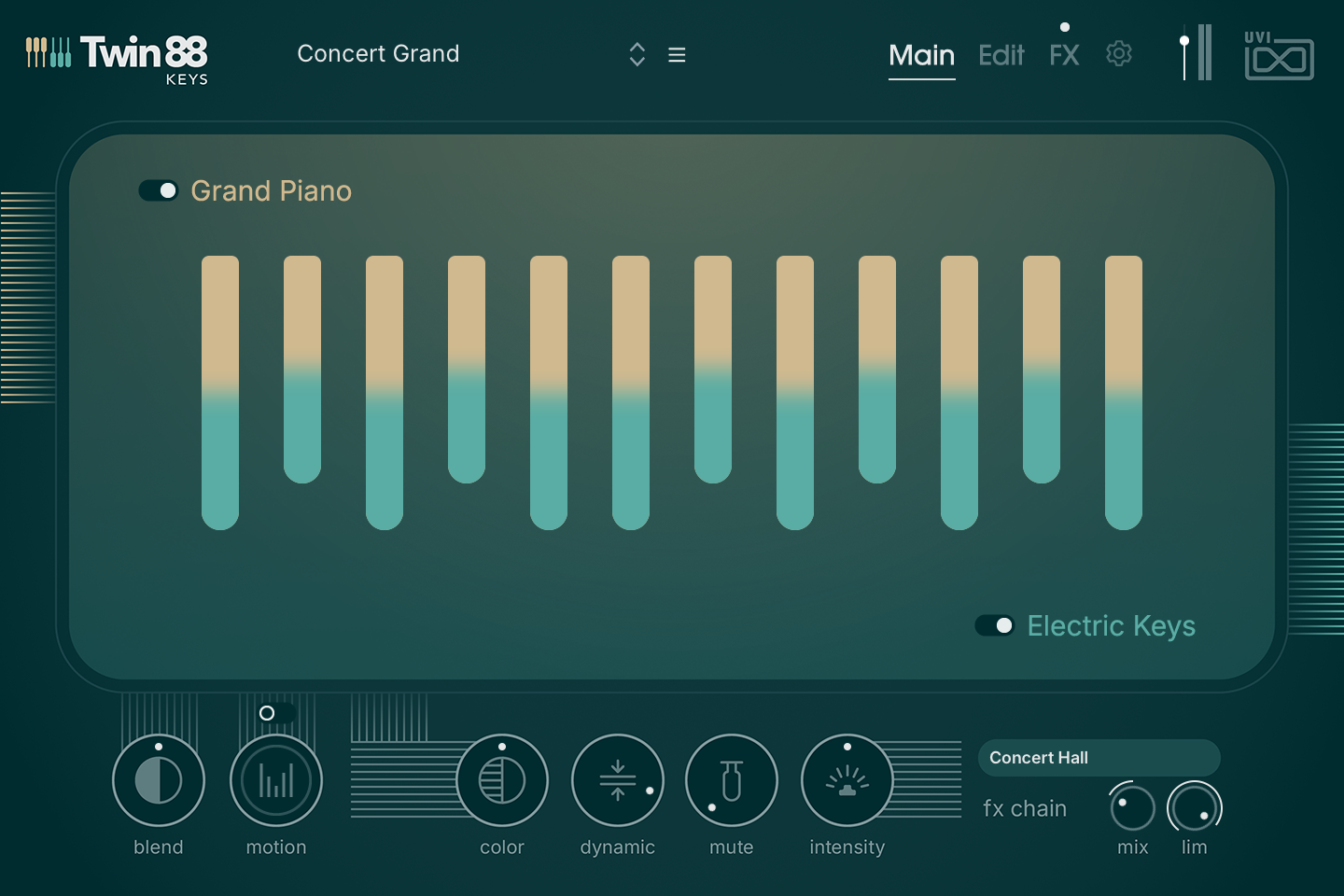
The landing view: pick a preset, set the balance between the two pianos, shape the performance with the one-knob macros, and choose an effect chain.
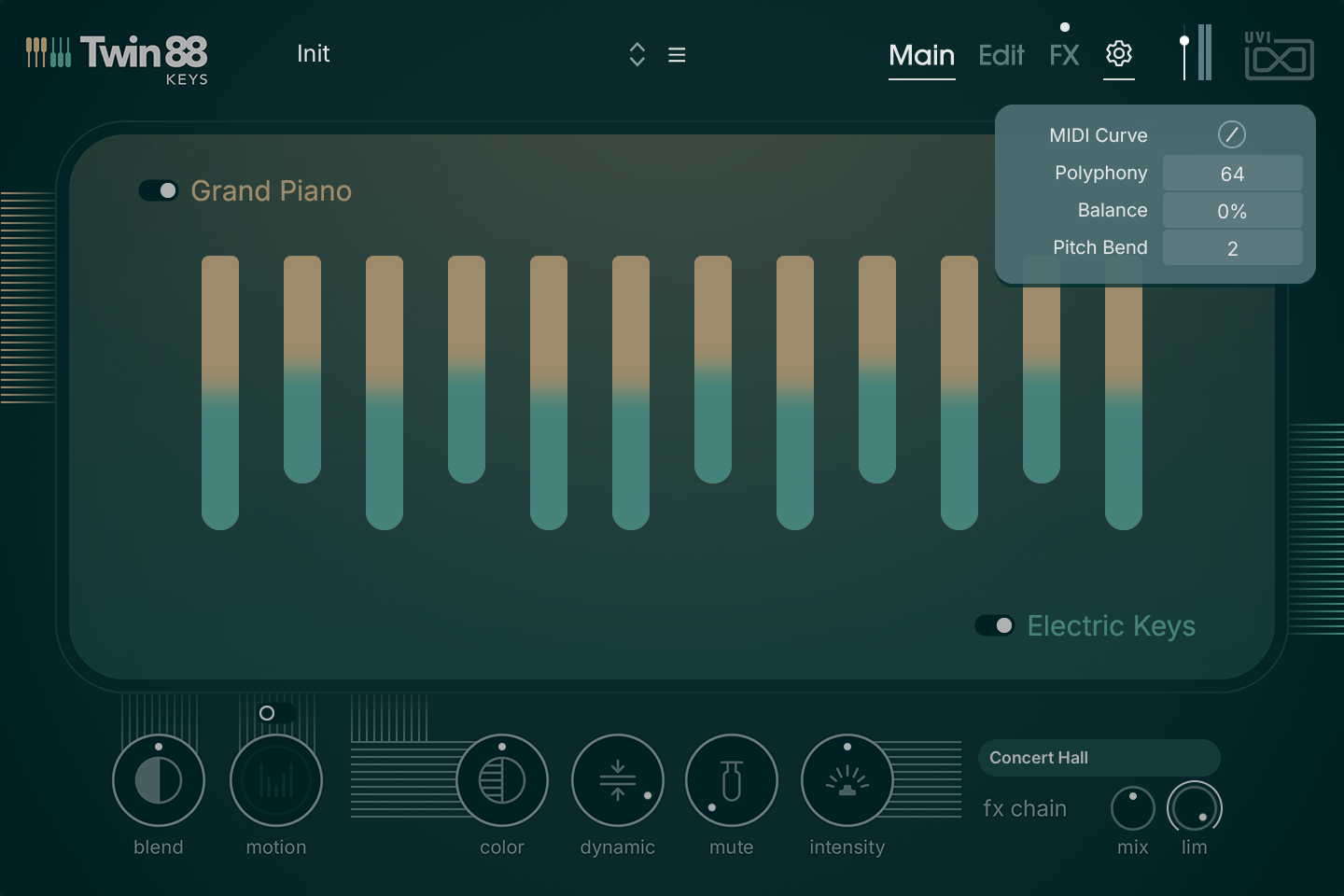
Switch between Main, Edit and FX. The dot above the FX label switches the whole effects section on or off.
Opens the global settings: MIDI Curve, Polyphony, Balance and Pitch Bend. See Settings below.
Global output level, with VU meter.
Each key shows the current mix of the two pianos, from tan (grand) to teal (electric), and lights up as notes are played. Click a key to audition it.
Crossfades from the Grand Piano (left) to the Electric Keys (right), with an equal-power law: at the centre both play together at equal level. The new setting applies to the next notes you play; held notes keep their mix.
Each macro acts on both pianos.
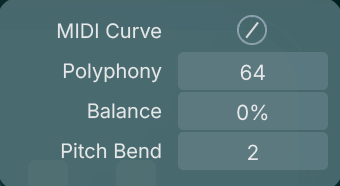
Click anywhere outside the panel to close it.
A step arpeggiator that can drive either piano, or both. Open it with the Motion button on the Main page.
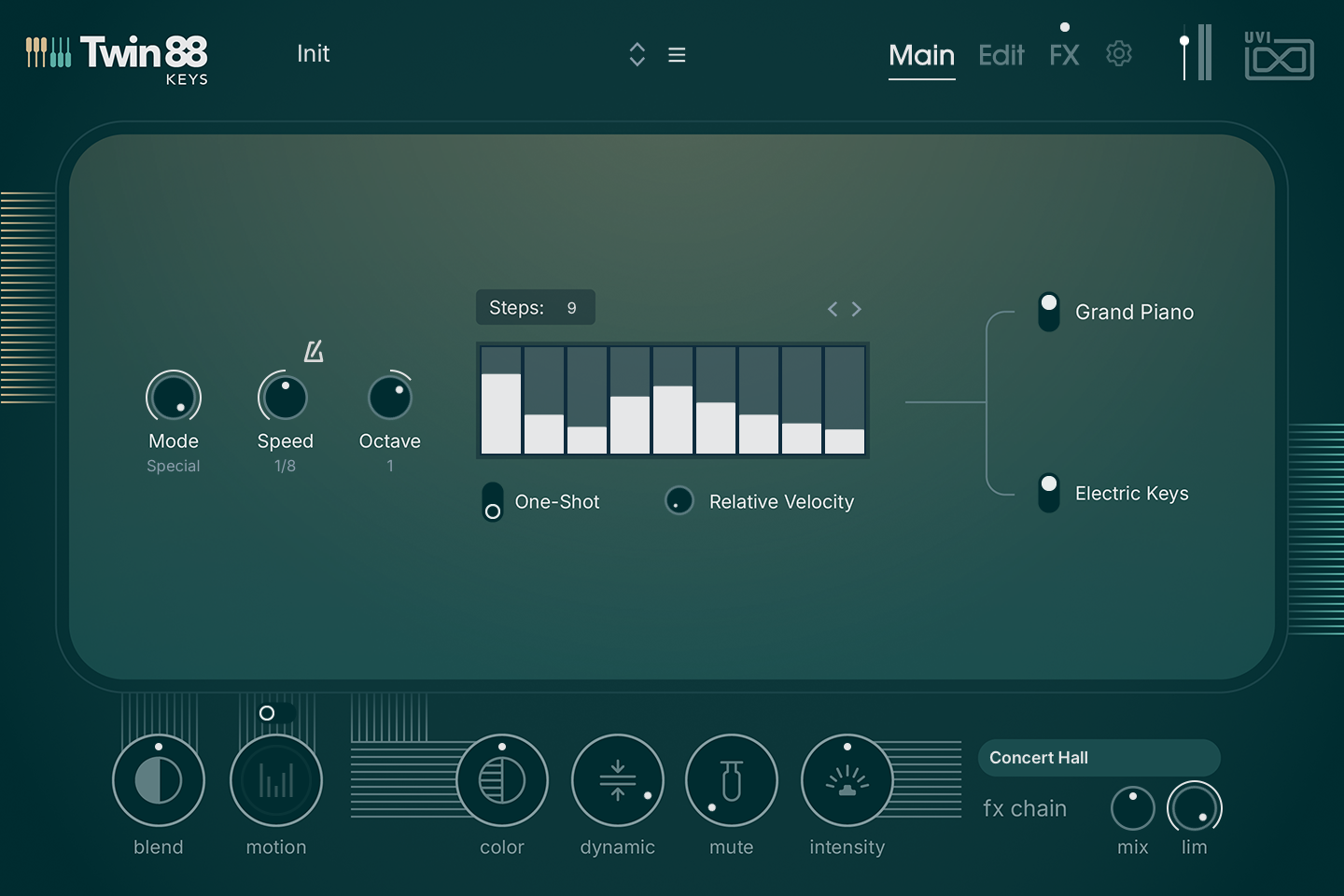
Order in which the held notes are played:
Step duration.
Extends the pattern over up to three octaves above (positive values) or below (negative values) the played notes.
Number of steps in the pattern, from 1 to 32.
Click-drag each bar to set the velocity of that step. A step at zero is a rest.
The [<] [>] arrows rotate the whole pattern one step backward or forward.
Plays the pattern once per new note instead of looping it.
How much the velocity you play is blended into each step's velocity: at 0 the steps set the velocity, at maximum your playing does.
Selects which piano the arpeggiator drives: Grand Piano, Electric Keys, or both. A piano that is not a target keeps playing straight from the keyboard, so one can arpeggiate while the other plays the chord.
Holding the sustain pedal keeps released notes in the pattern.
Microphones, gain and pitch, response, mixer and tone, and the amp envelope of the concert grand. The three tabs at the top of the Edit page switch between Grand Piano, Balance and Electric Keys; the switches next to the two piano names turn each instrument on or off.
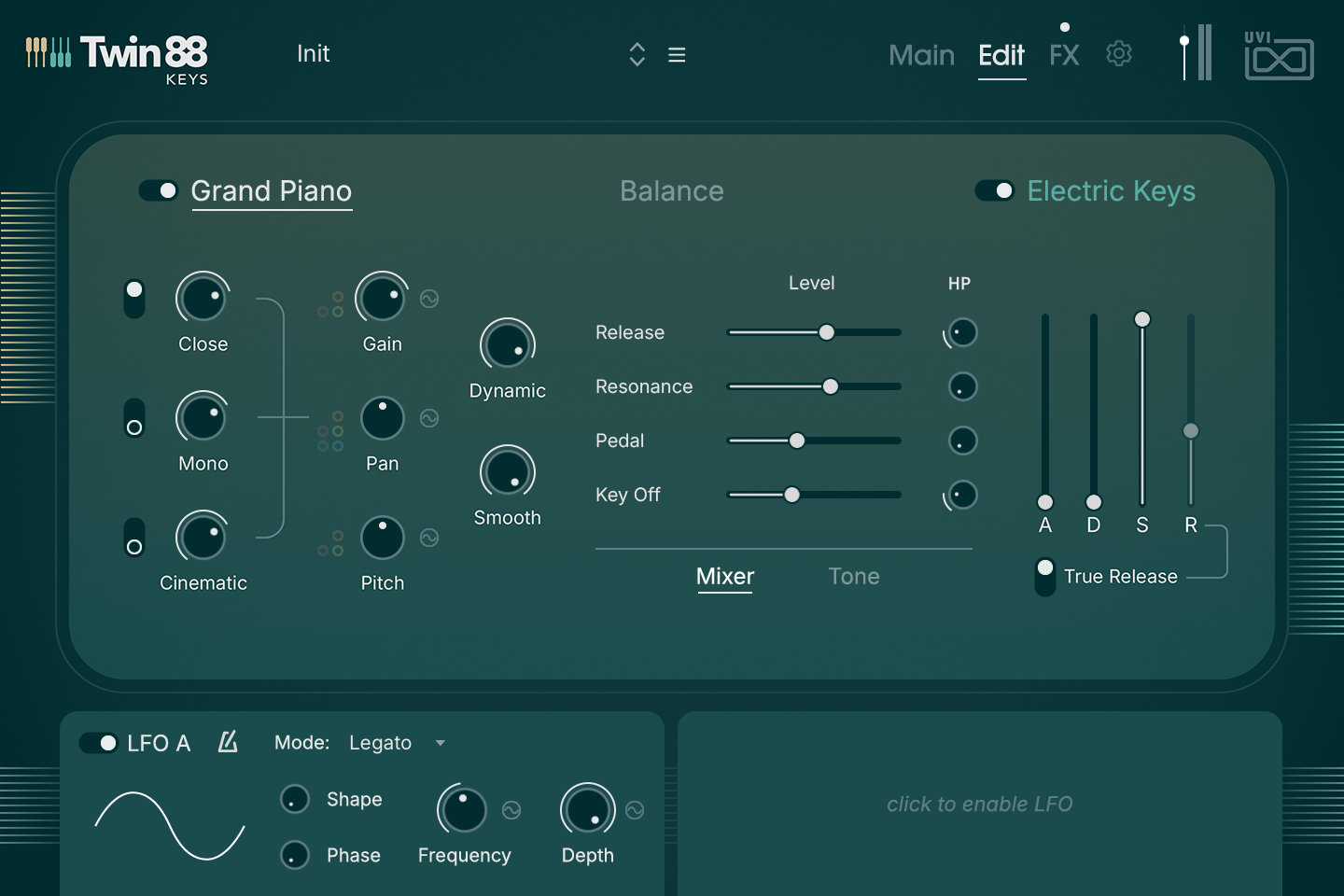
Switch and level for each microphone position. A microphone that is switched off is unloaded from memory.
The coloured dots at the left of each knob are its modulation amounts, see Modulation below.
Dynamic range: how much the level follows the velocity. At zero every note plays at the same level.
Amount of a velocity-driven low-pass filter (6 dB/oct): soft notes get darker, hard notes stay open.
Mixer — level (slider) and high-pass filter (HP knob) of each sound element:
Tone — equalizer, see Tone below.
Attack, Decay, Sustain and Release.
On, release samples play and the natural release time is used (the R fader is disabled). Off, the R fader sets the release time and release samples are muted.
Two global LFOs, shared by both pianos and the effects.
An LFO has no effect until it is assigned to a parameter, see Modulation below.
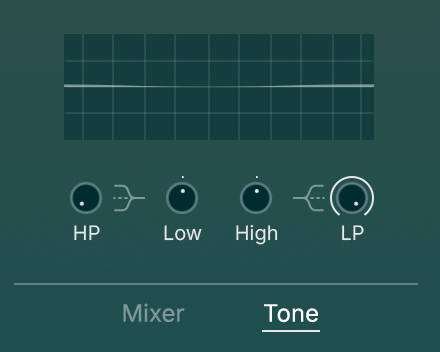
Click Tone below the mixer to show the equalizer of the instrument. The graph displays the resulting curve.
Gain, Pan, Pitch and several effect parameters can be modulated. The small coloured dots at the left of the knob show the amount for each source; click-drag a dot to set it. The ~ button at the right of the knob opens the Modulation panel, with one control per source:
In the panel, Reset All Modulation clears every amount, and X closes the panel.
The same controls as the Grand Piano, for the vintage electric piano.
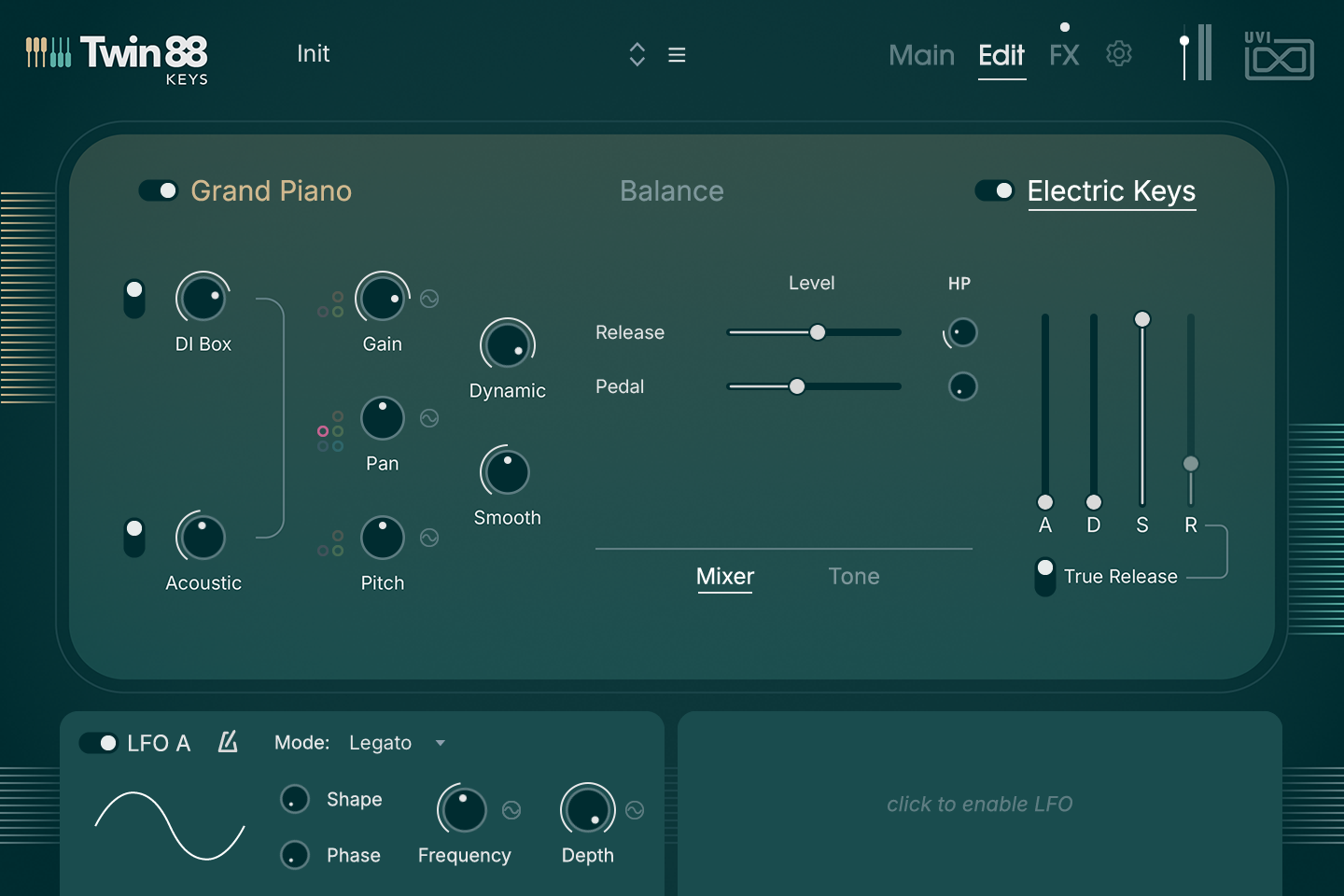
Switch and level for each signal. A signal that is switched off is unloaded from memory.
Mixer — level (slider) and high-pass filter (HP knob):
Tone — HP, Low, High and LP, as on the Grand Piano page.
Attack, Decay, Sustain and Release.
On, release samples play and the natural release time is used (the R fader is disabled). Off, the R fader sets the release time and release samples are muted.
The Balance tab lets the playing decide which piano you hear: by the key you play, by its tone, or by how hard you play. Each row has three controls:
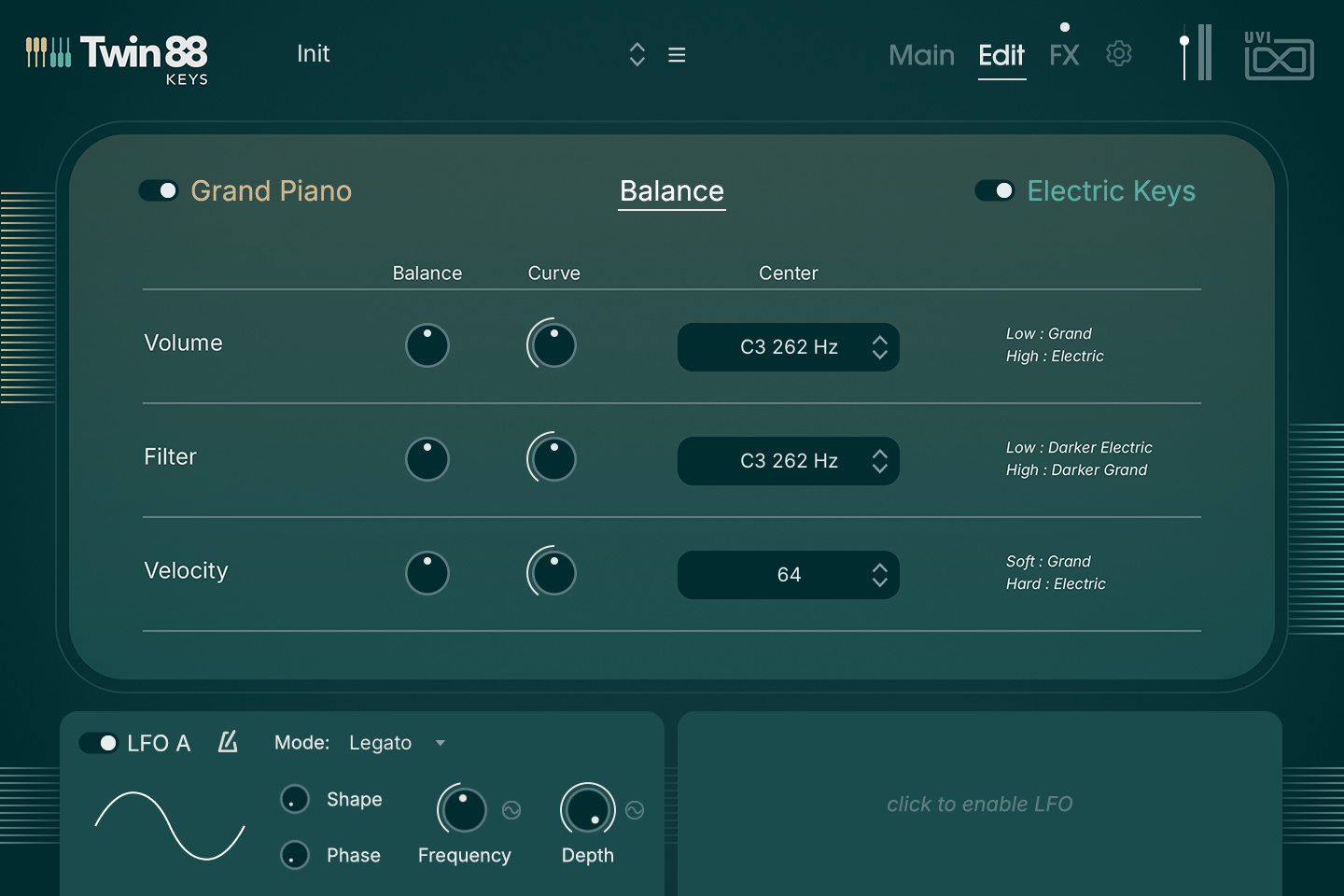
Blends by keyboard range. With a positive Balance the grand piano plays below the Center note and the electric piano above it.
Blends by tone. With a positive Balance the electric piano gets darker below the Center note and the grand piano above it, so the other piano comes forward. The depth of the darkening is set by the Smooth knob of each piano: with Smooth at zero this row has no effect.
Blends by velocity. With a positive Balance soft notes play the grand piano and hard notes the electric piano, the switch happening around the Center velocity.
The Volume and Velocity rows work from the Blend setting of the Main page: they move each note’s mix away from it, towards one piano or the other. With Blend fully on one side they have no effect, and the other piano always stays slightly audible. For the widest contrast, leave Blend near the centre and raise Balance.
Five effect slots, a three-band EQ and the output stage, applied to both pianos. The first three slots host any of eight effects; the last two are a dedicated Delay and Reverb, each with its own modes. The LFO A & B strip at the bottom of the page is the one described on the Edit pages.
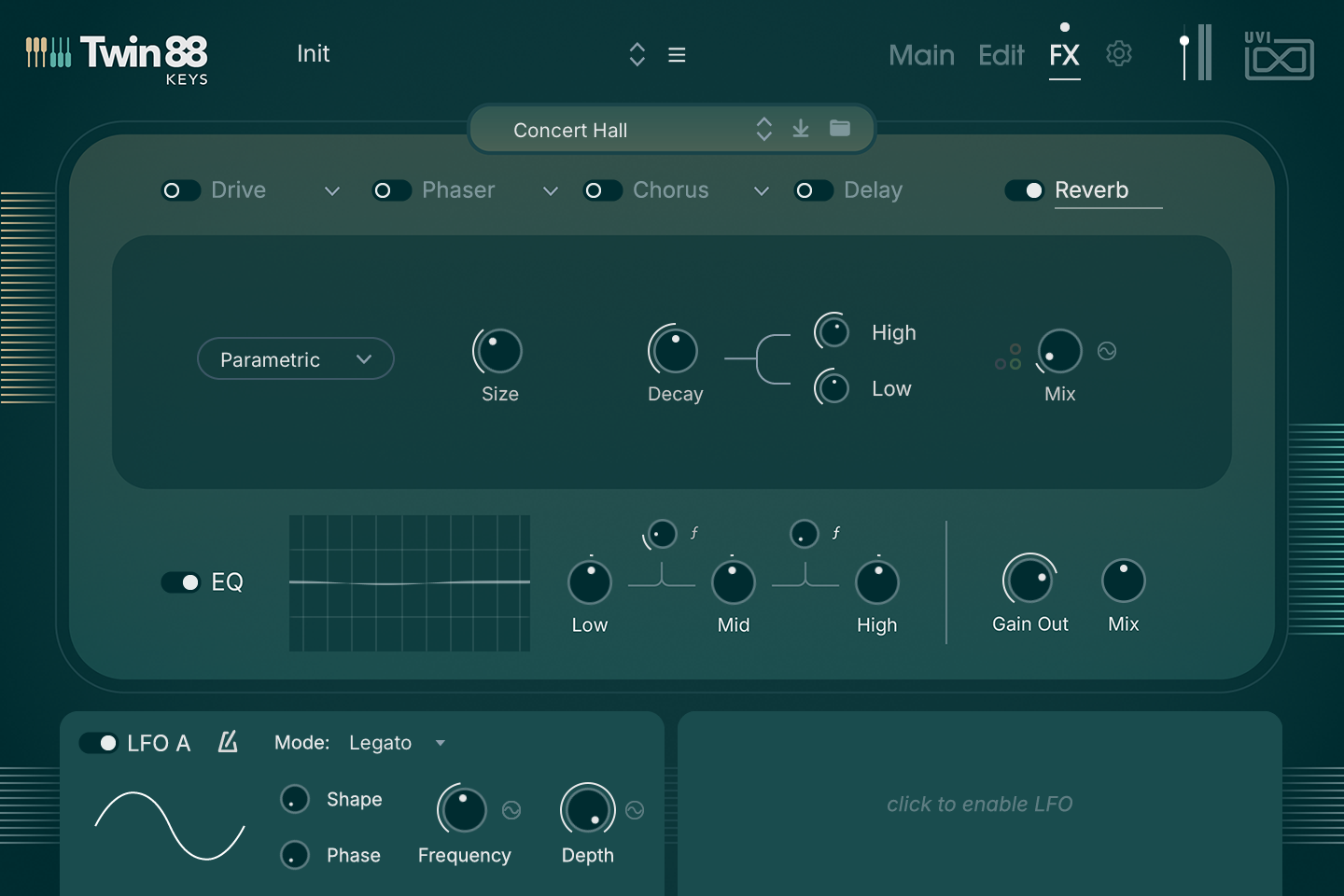
Controls of the selected slot. They change with the effect and its mode, see the Effects Reference below.
Pick an effect, then a mode where it has several, to see its controls. Knobs with small coloured dots at their left can be modulated by the Modwheel and LFO A & B; the ~ button opens their Modulation panel.



















Produced by UVI.