
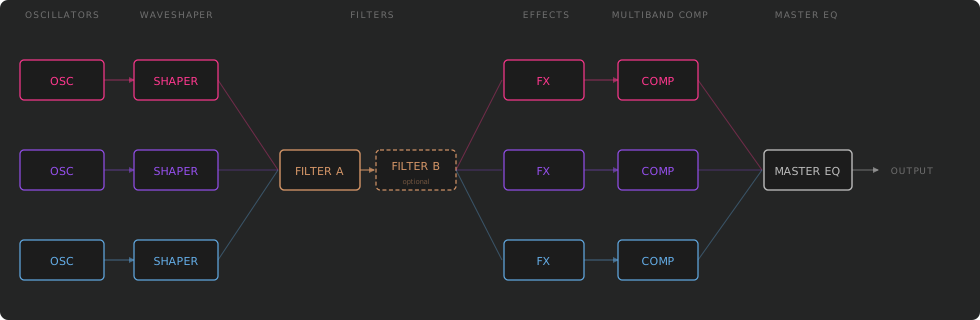
Rumble splits every voice into three independent frequency bands — each with its own oscillator, waveshaper, and effects — before merging through a shared filter, compressor, and master EQ.
Introduction
Rumble is a multi-band bass synthesizer designed for expressive, layered sound design. Its architecture splits every voice into three frequency bands — Body, Character, and Air — each with its own oscillator, waveshaper, effects, and gain controls. This approach lets you sculpt the low-end, mid-range, and top-end of a sound independently before they merge through a shared filter stage, multiband compressor, and master EQ.
Design Philosophy
Most synthesizers treat a voice as a single signal. Rumble treats it as three parallel lanes that converge:
| Band | Role |
|---|---|
| Body | Sub-bass and bass — weight, punch, and power. |
| Character | Mid-range — tonal identity, presence, and harmonic richness. |
| Air | High frequencies — shimmer, brightness, and texture. |
Each band can use a completely different oscillator type. After independent waveshaping and gain, the bands are merged, filtered, and processed through per-band effects, a multiband compressor, and a parametric EQ.
Available Formats
Interface Overview
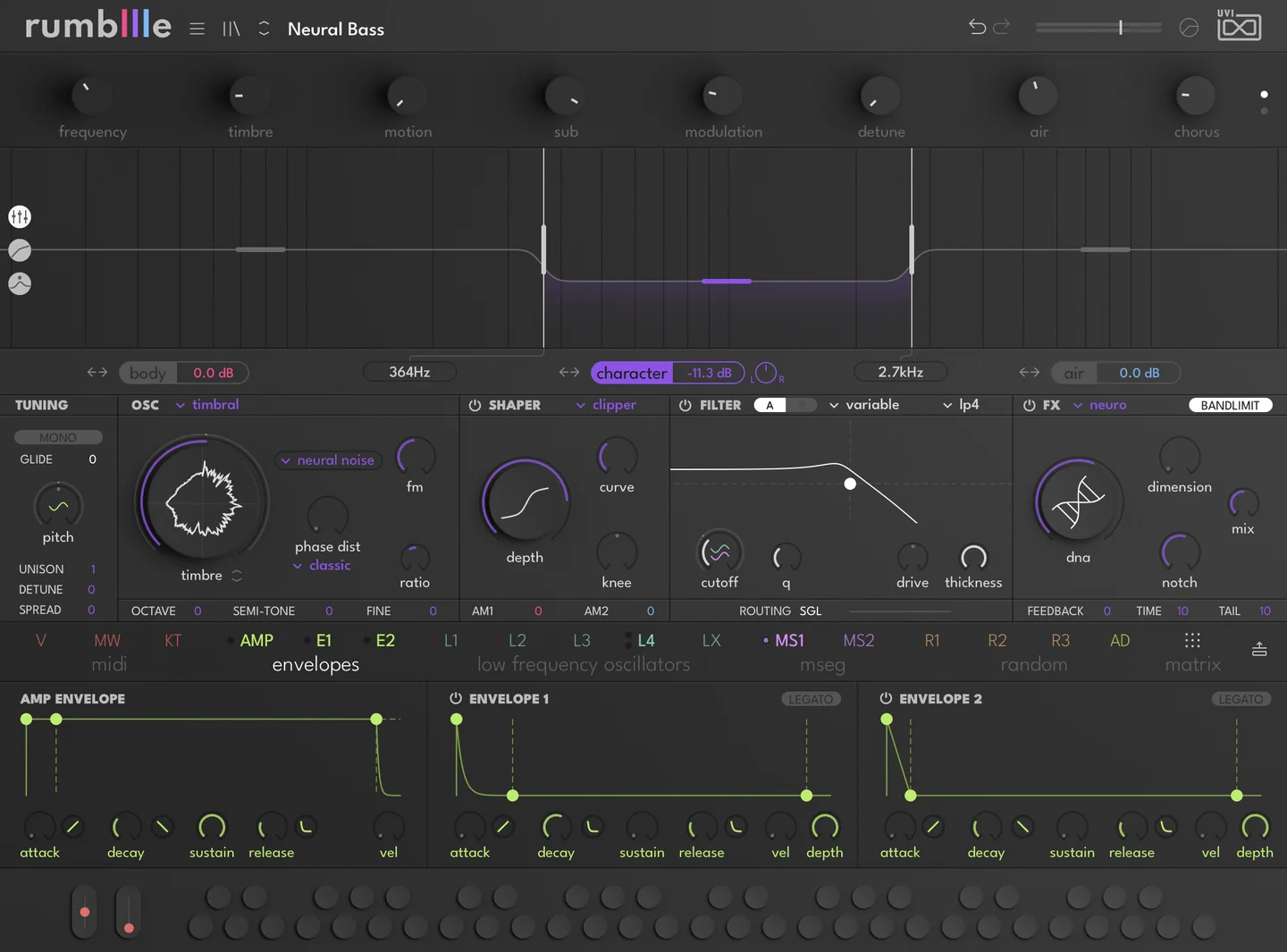
Click a zone to learn more about it.
- 1 Top Bar Preset name (click to open browser), Prev/Next navigation, Undo/Redo, Master Volume with stereo meter, Options menu.
- 2 Macro Dock Sixteen macro knobs in two pages (1–8 / 9–16). Drag from a macro onto any modulatable parameter to create a connection. Primary automation interface for DAW control.
- 3 Sub-Header Views
Mixer
Band Split display with crossover frequencies, per-band gain, pan, solo, mute, enable and expand.
EQ
4-band parametric EQ with spectrum analyzer.
Compressor
3-band multiband compressor.
- 4 Center Panel
Voicing controls: Poly/Mono, Pitch, Glide, Unison.
Oscillator
Per-band model selector and waveform display. Three tabs: Body, Character, Air.
Shaper
Per-band WaveShaper and AM Injector settings.
Global Filter
Filter A and optional Filter B with type, routing and response graph.
FX
Per-band effect slot with 10 effect types and feedback loop.
- 5 Modulation Dock
MIDI
Velocity, keytrack, pitch bend, mod wheel.
Envelopes
VCA, Envelope 1, Envelope 2 with ADSR and interactive graph.
LFOs
LFO 1–4 with LFO Mix.
MSEG
MSEG 1 and MSEG 2, 128-point envelope editors.
Random
Random 1–3 in S&H, Lorentz and Rossler modes.
Matrix
Full modulation routing overview. Drag any source button onto a knob to assign.
- 6 MIDI Keyboard Virtual MIDI keyboard with pitch bend and mod wheel strips. Show/hide via Settings.
Signal Flow & Architecture
Rumble splits every note into three independent frequency bands — Body, Character, and Air. Each band is synthesized, shaped, filtered, and processed separately before being merged and sent through a shared output stage.
The Three Bands
The band splitter divides the spectrum at two adjustable crossover points. Each band covers a distinct frequency range and serves a specific sonic role.
| Band | Frequency Range | Role |
|---|---|---|
| Body | Sub-bass through bass | Weight, punch, foundation |
| Character | Low-mids through upper-mids | Tonal identity, presence |
| Air | Upper-mids through treble | Shimmer, brightness, texture |
Crossover Frequencies
The two crossover points define where each band begins and ends. Both are adjustable and modulatable.
| Crossover | Range | Default |
|---|---|---|
| Body / Character | 20 Hz – 5,000 Hz | ~200 Hz |
| Character / Air | 100 Hz – 20,000 Hz | ~2,500 Hz |
- A minimum 1-octave separation is enforced between the two crossovers.
- Both frequencies are modulatable — automate them for moving filter-like effects.
Band Controls
Each band can be independently leveled, panned, isolated, or removed from the signal path.
| Control | Description |
|---|---|
| Gain | Adjusts the output level of the band |
| Pan | L/R stereo placement |
| Solo | Isolates this band for monitoring |
| Mute | Silences the band — appears on hover or when active |
| Expand | Stretches a single band to cover the full spectrum — only one band at a time |
Oscillators
Each band independently selects one of nine oscillator models. Every oscillator shares a set of common controls, plus type-specific parameters.
Common Controls
| Control | Description |
|---|---|
| Model | Selects the oscillator type |
| Pitch | Adjusts the pitch in semitones (±12) |
| Octave | Shifts up or down by full octaves (±3) |
| Fine Tune | Adjusts the pitch in cents |
| Unison | Number of unison voices (1–8) |
| Detune | Spreads the pitch of unison voices |
| Spread | Distributes unison voices across the stereo field |
Analog
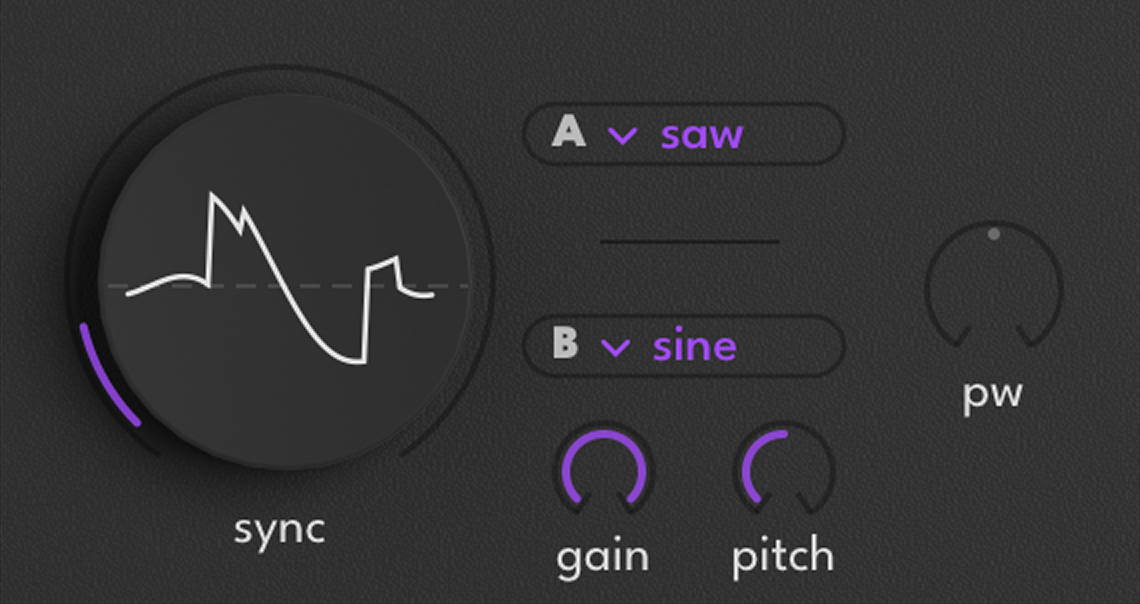
Dual-oscillator design with band-limited antialiasing.
| Control | Description |
|---|---|
| Waveform A | Saw, Square, Triangle, Sine, Noise |
| Waveform B | Saw, Square, Triangle, Sine, Noise |
| Osc B Gain | Level of oscillator B |
| Osc B Pitch | Detunes oscillator B in semitones (±12) |
| Hard Sync | Resets both oscillators’ phase in sync — applies globally to A and B |
| Pulse Width | Adjusts the duty cycle of both oscillators |
Morpho
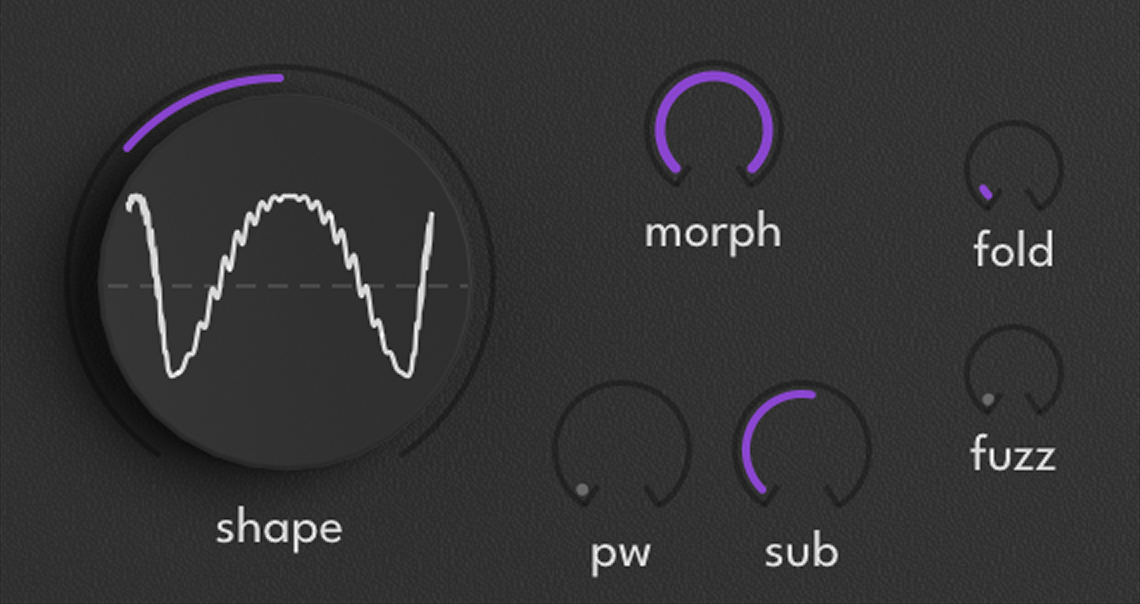
Phase distortion synthesis with multiple nonlinear transformations.
| Control | Description |
|---|---|
| Shape | Primary timbre control — shapes the waveform’s harmonic content |
| Morph | Gradually transforms the base waveform for tonal variation |
| Pulse Width | Adjusts the duty cycle of the waveform |
| Sub | Adds subharmonic content |
| Fold | Soft shaping — gentle harmonics and warmth |
| Fuzz | Aggressive shaping — strong, rich harmonics |
Phonem
Vocal synthesis using the VOSIM formant algorithm. Generates up to 5 parallel formant peaks tuned to vowel frequencies.
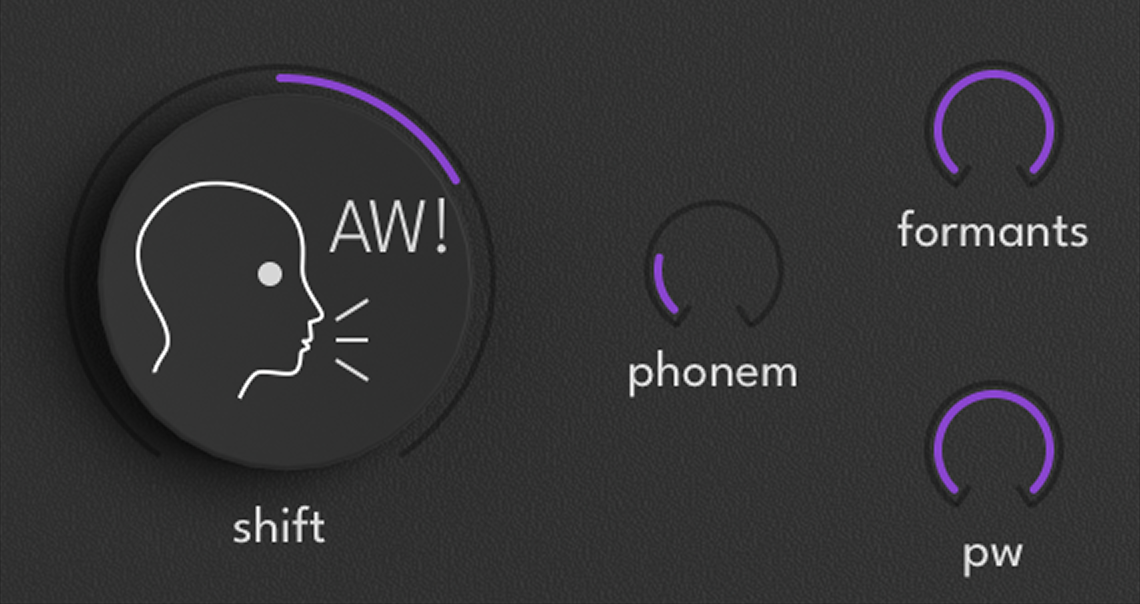
| Control | Description |
|---|---|
| Phonem | Selects from 15 preset phonemes: AA AE AO AW AX AY EH ER EY IY OW OY UH UX Y |
| Formant Shift | Transposes the formant structure independently of pitch |
| Pulse Width | Adjusts the duty cycle of the waveform |
| Formants | Number of formant peaks active (1–5) |
Fold
West-coast synthesis inspired by the Buchla Music Easel. Uses ADAA antialiased digital audio for clean, alias-free folding. Includes a Vactrol-modeled lowpass gate.
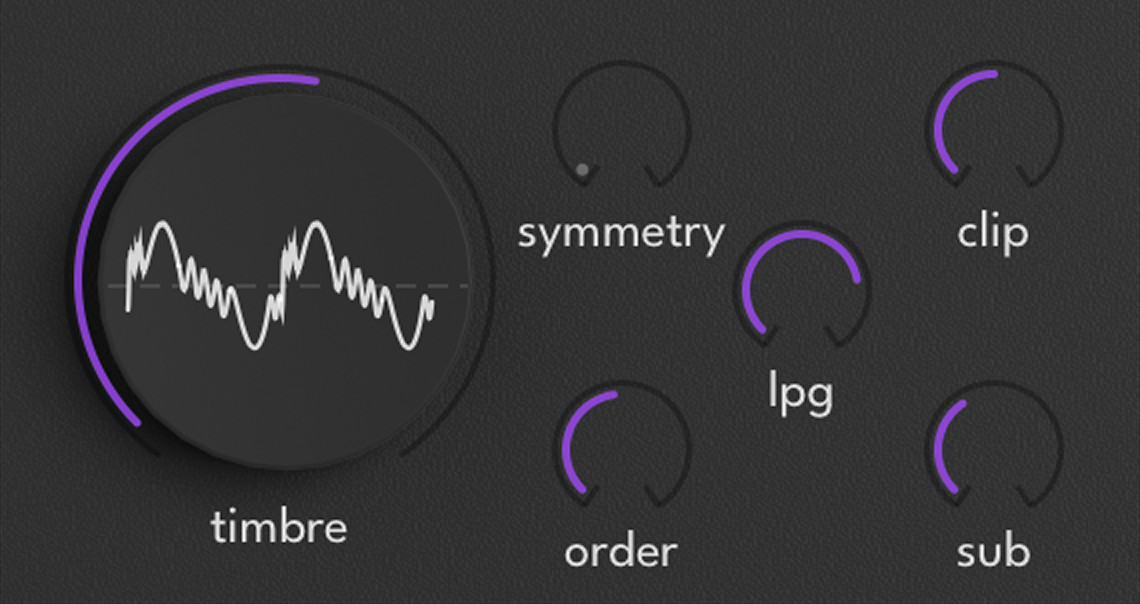
| Control | Description |
|---|---|
| Timbre | Controls the wavefolding depth |
| Symmetry | Skews the fold curve to shift the harmonic balance |
| Order | Number of fold stages — increases harmonic complexity |
| Sensitivity | How the LPG responds to incoming amplitude |
| Rounding | Smooths the fold transitions for a softer character |
| Sub | Controls the sub amount |
Timbral
Wavetable oscillator with 90+ tables and six phase distortion modes. Categories: Analog, Bass, Complex, Digital, Formant, Harmonic, Noise, Pad, Sync, Vocal.
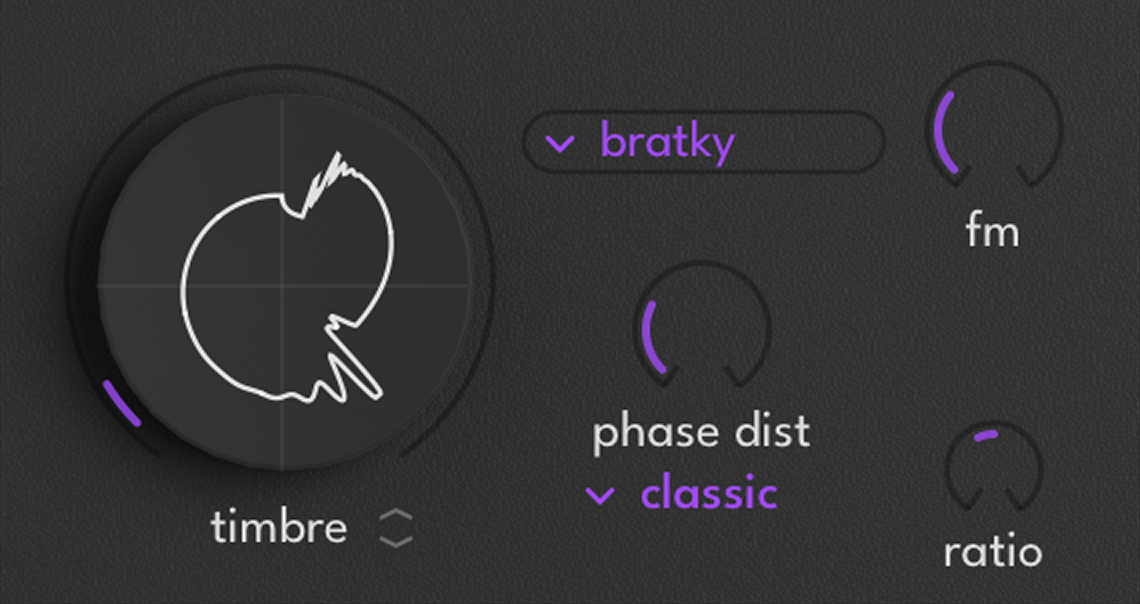
| Control | Description |
|---|---|
| Selection | Select a waveform type |
| Timbre | Wavetable scan position — morphs through the table’s frames |
| PD Mode | Classic / PWM2+ / Formant / Symform / Fuzz / Resoform |
| PD Amount | Intensity of the phase distortion |
| FM Ratio | Frequency ratio between carrier and modulator |
| FM Depth | How much the modulator affects carrier pitch |
Noise
Dual noise source with spectral shaping. Over 90 sources across categories: Acoustic, Impact, Machines, Organic, Static, Transient.
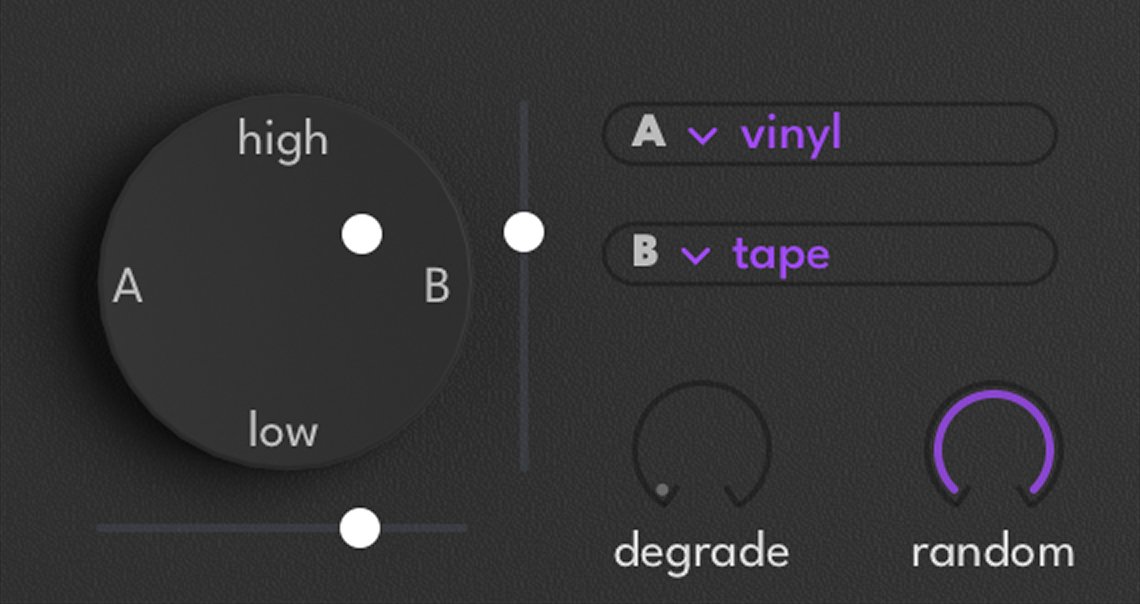
| Control | Description |
|---|---|
| XY Pad | X: crossfades between A/B sources; Y: adjusts tone |
| Selection | Selects the noise source |
| Degrade | Bit-depth reduction for lo-fi, bit-crushed texture |
| Random | Randomizes the sample start position on each trigger |
Sampler
Sample playback engine with a curated library of mono bass samples. Categories: Sub, Lazer, Reese, Instruments, FM, Drone, Distorted, Complex, Analog.
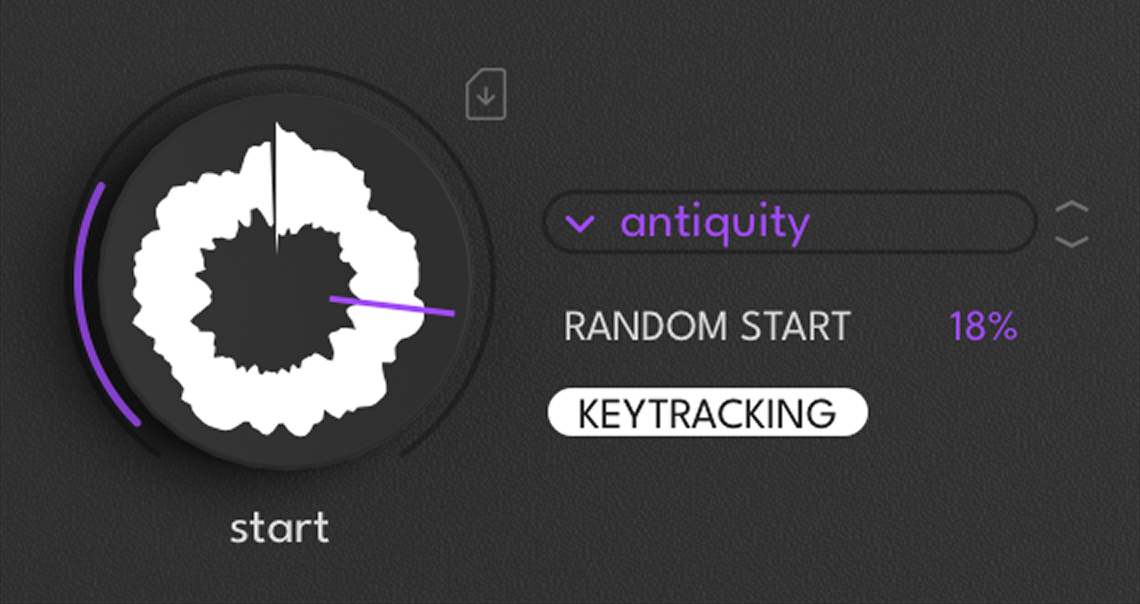
| Control | Description |
|---|---|
| Sample | Selects a sample to play |
| Start | Sets the playback start position |
| Random Start | Randomizes the playback start position |
| Key Tracking | When enabled, sample pitch follows the played note |
Kick
Specialized drum synthesis engine with a transient sample layer and a tone synthesis layer. The pitch starts high and drops following an exponential curve.
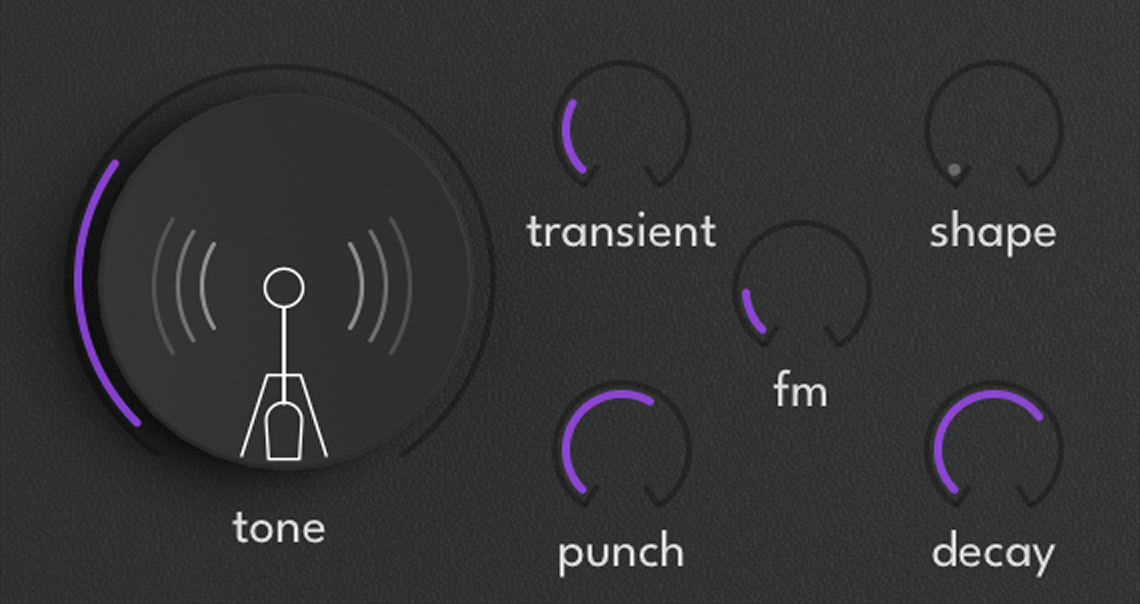
| Control | Description |
|---|---|
| Transient | Shapes the attack character (Clean, Punch, Sharp, Loose) |
| Shape | Controls the pitch envelope shape — how the pitch drop curves over time |
| Punch | Controls the pitch envelope attack — how far and fast the pitch drops at the hit |
| Tone | Shapes the kick body from clean to saturated |
| Decay | Overall decay time (500–8000 ms) |
| FM | Applies FM to add brightness and edge |
Prism
Dual-carrier, dual-modulator FM synthesis with cross-modulation. Uses cubic nonlinearity on the modulators for a denser, more aggressive spectrum than standard FM.
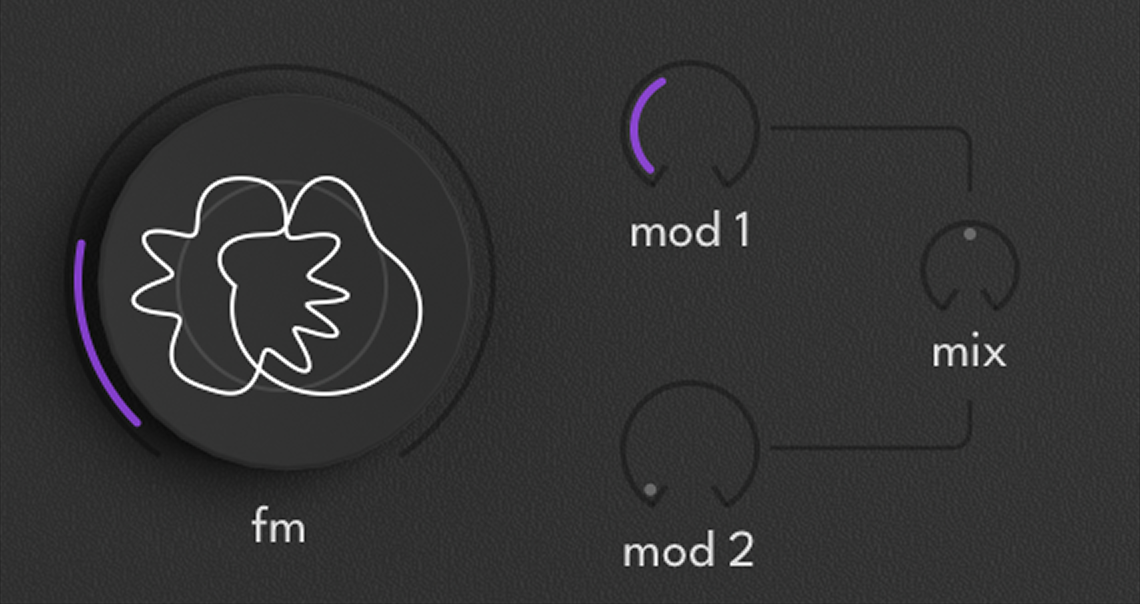
| Control | Description |
|---|---|
| Mod 1 | Depth of the first modulator |
| Mod 2 | Depth of the second modulator |
| FM | Cross-modulation between the two carriers |
| Mix | Crossfades between the two carrier waveforms |
WaveShaper & AM Injector
Each band has an independent WaveShaper positioned after the oscillator and before the band gain. It applies nonlinear transfer functions to shape the harmonic content.
| Control | Description |
|---|---|
| Enable | Activate or bypass this module |
| Mode | Selects the waveshaping mode |
| Curve | Shapes the transfer curve |
| Knee | Adjusts the softness of the curve’s transition |
| Depth | Controls how strongly the waveshaping is applied |
| Ratio | Frequency ratio between carrier and modulator (ring mod modes) |
Modes
 Clipper Punchy, saturated
  Sine Warm, musical
  Foldback Complex, rich
  Hyperfold Dense, metallic
  Rectify Bright, doubled
  Damped Gentle, warm
  Diode Gritty, analog
  Noise Textured, gritty
  Soft-Ring Subtle metallic
  Hard-Ring Inharmonic
 AM Injector
The AM Injector enables amplitude modulation between bands. Each band can receive AM from the other two — one band’s amplitude directly modulates another’s signal level. AM Depth controls how strongly the modulation is applied. If Body has a slow sub-bass and Character has a mid-range tone, applying AM from Body to Character will imprint the sub-bass rhythm onto the mid-range level, creating rhythmic pumping, tremolo effects, or spectral interaction between bands.
Filters
Rumble includes six filter models spanning classic analog hardware emulations, vintage synth circuits, and more creative designs. Two filter slots (A and B) are available, with three routing modes: Single (Filter A only), Serial (A feeds into B for cascaded processing), and Parallel (both run simultaneously, blended with the Blend control).
Analog
ARP 4023 circuit emulation — the filter from the ARP Odyssey. Warm, smooth, and musical with circuit-modeled nonlinear behavior. Self-oscillates at high resonance.
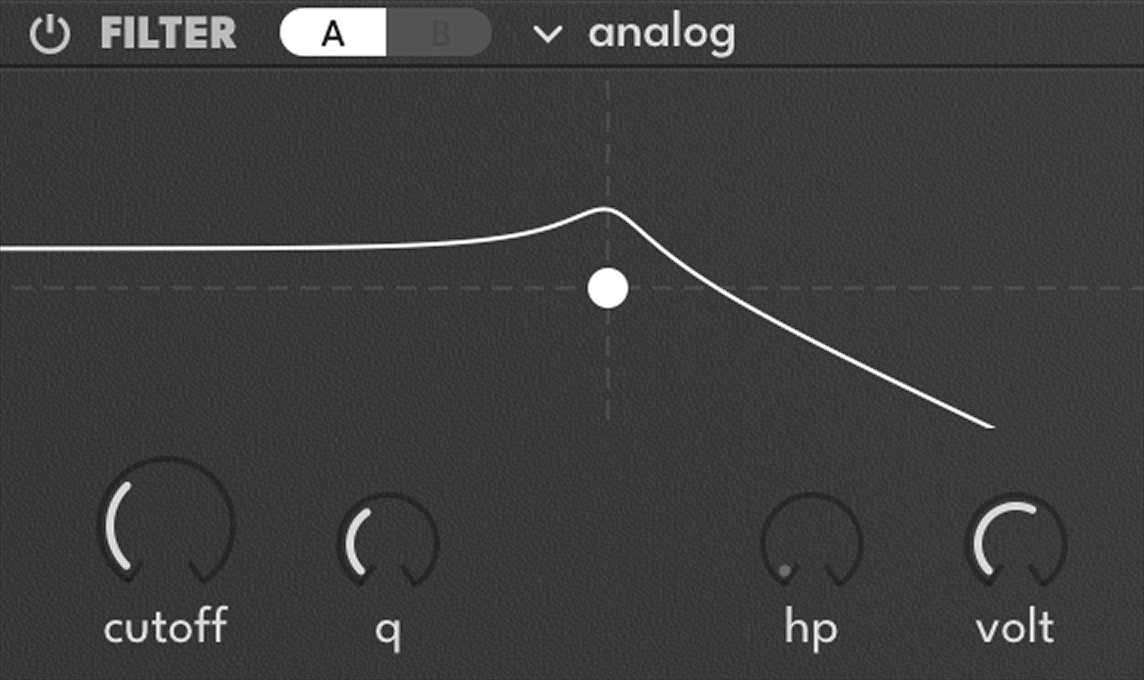
| Control | Description |
|---|---|
| HP | Morphs continuously from low-pass to high-pass |
| Voltage | Emulates input voltage — higher values push into saturation |
Variable
Multi-mode filter inspired by the Oberheim Xpander. Thick, saturated, and characterful, with eight topologies ranging from classic 4-pole lowpass to complex multi-response combinations.
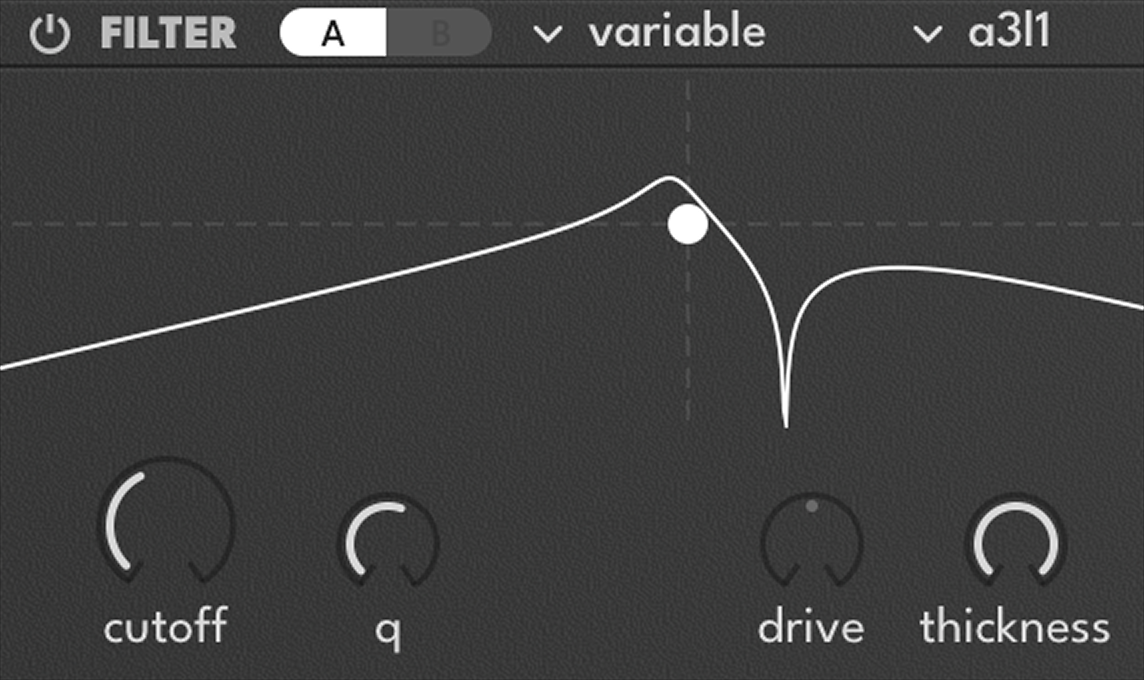
| Mode | Description |
|---|---|
| LP4 | 4-pole low-pass (24 dB/oct) — classic fat bass |
| HP4 | 4-pole high-pass — aggressive low-end removal |
| BP4 | 4-pole band-pass — focused mid-range selection |
| Notch4 | 4-pole notch — removes a narrow frequency band |
| A3L1 | Allpass 3-pole + LP 1-pole — phase shift with filtering |
| PK4 | Peaking 4-pole — strong resonant emphasis at cutoff |
| H1N2L1 | HP 1-pole + Notch 2-pole + LP 1-pole — complex multi-response |
| N2L2T | Notch 2-pole + LP 2-pole tilt — sculpted frequency response |
Ripple
Multi-resonant filter that creates multiple peaks around the cutoff frequency. Each Ripple step adds another resonant peak — from subtle coloring at low values to dramatic resonant ringing at high values.
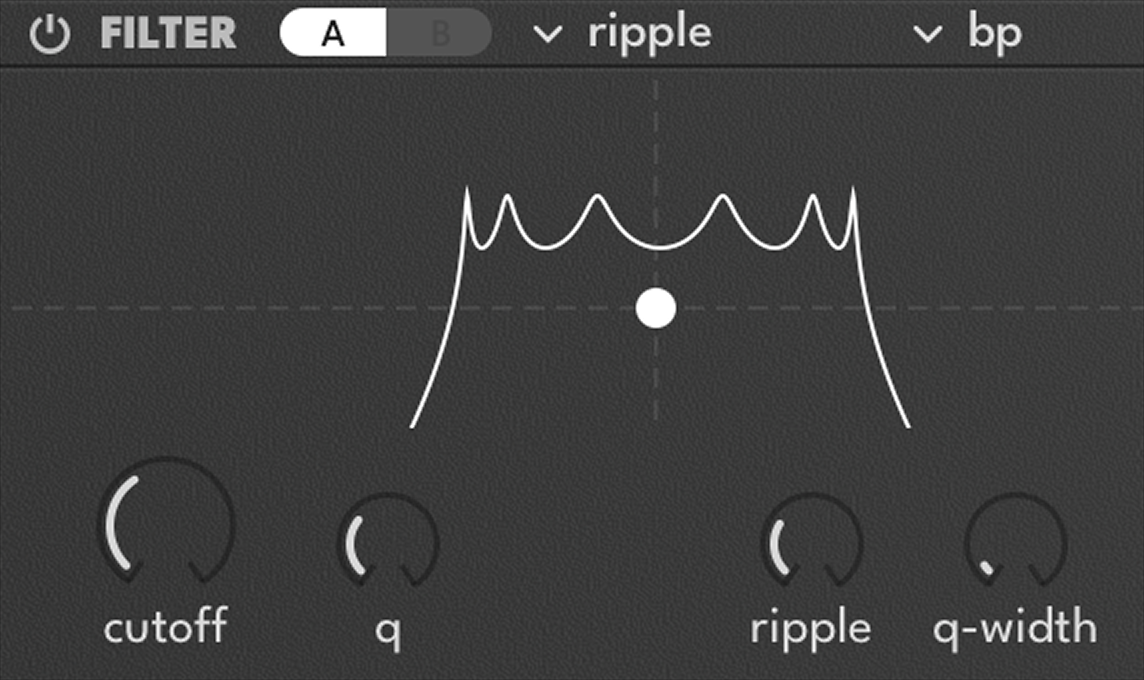
| Control | Description |
|---|---|
| Type | Base response: LP, BP, HP, or Notch |
| Ripple | Number of resonant peaks around cutoff (0–7) |
| Q Width | Width of the resonance band in BP or Notch mode |
Swirl
Combined phaser and flanger implemented as a filter module. Three phaser modes and three flanger modes — modulate Cutoff with an LFO for classic sweep effects.
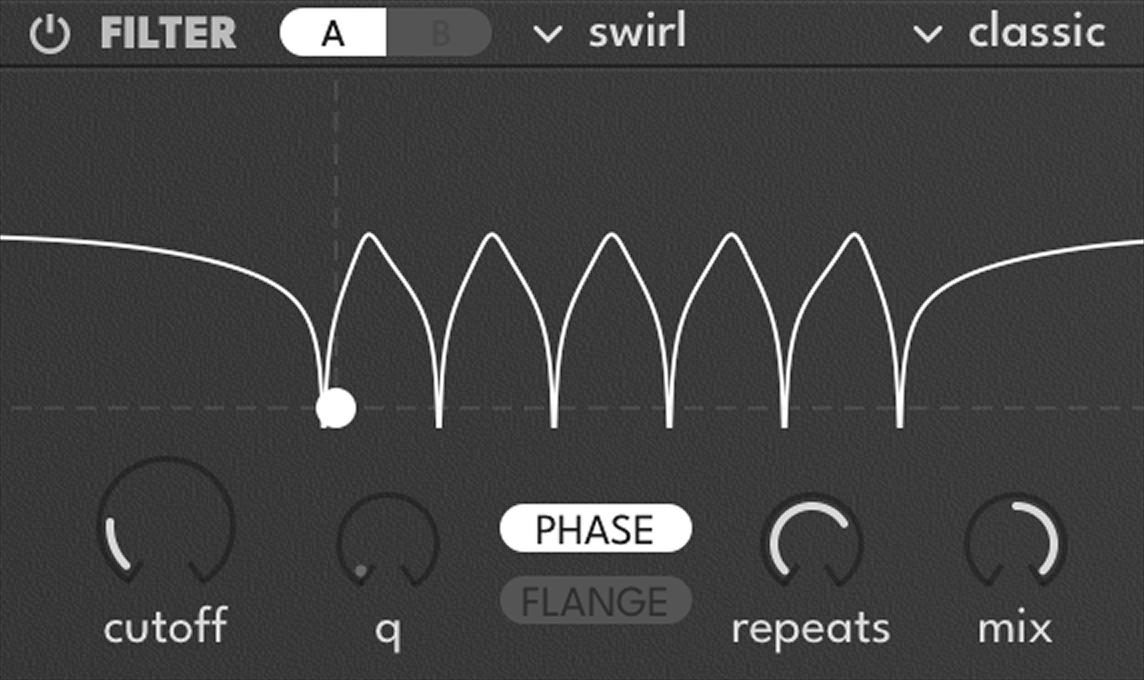
Flanger Modes
| Type | Extra Controls |
|---|---|
| Classic | Mix, Q Width |
| Notch | Q Width |
| Bandpass | Q Width |
Phaser Modes
| Type | Extra Controls |
|---|---|
| Classic | Mix, Repeats |
| Notch | Spacing, Repeats |
| Bandpass | Spacing, Repeats |
Scream
Korg MS-20 filter emulation — raw, aggressive, and unruly. Self-oscillates violently at high resonance.
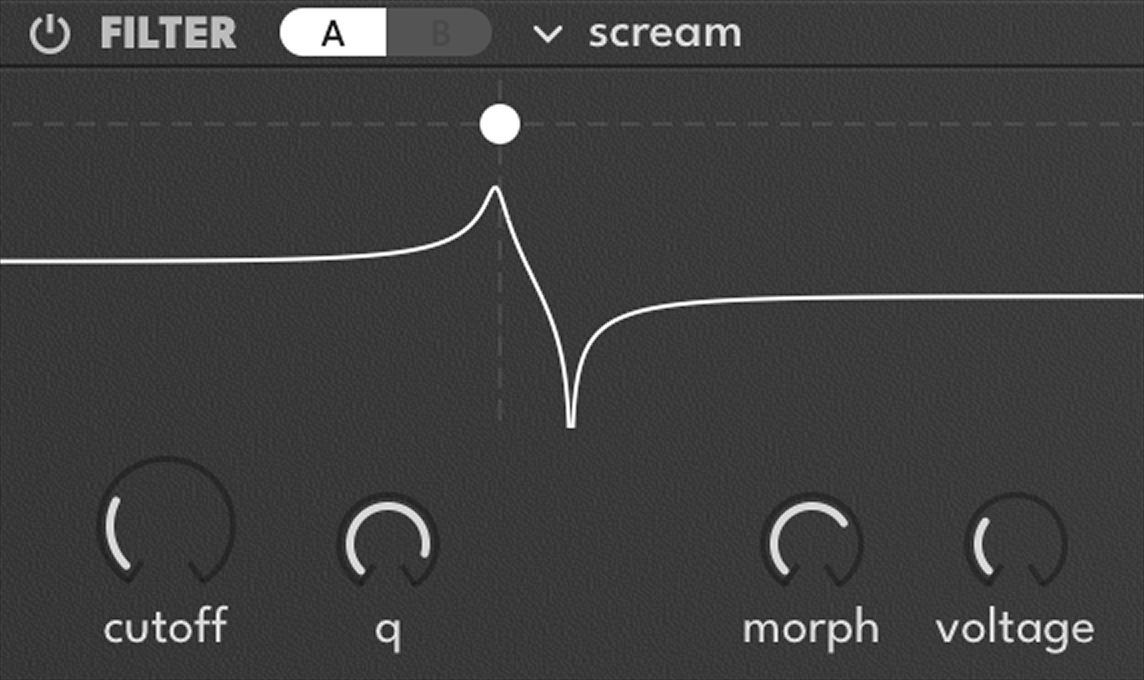
| Control | Description |
|---|---|
| Morph | Sweeps continuously from high-pass to low-pass |
| Voltage | Emulates voltage saturation for a harder, more aggressive tone |
Formant
Vowel filter with seven morphable formant sequences. Automate Cutoff for talking and singing filter effects.
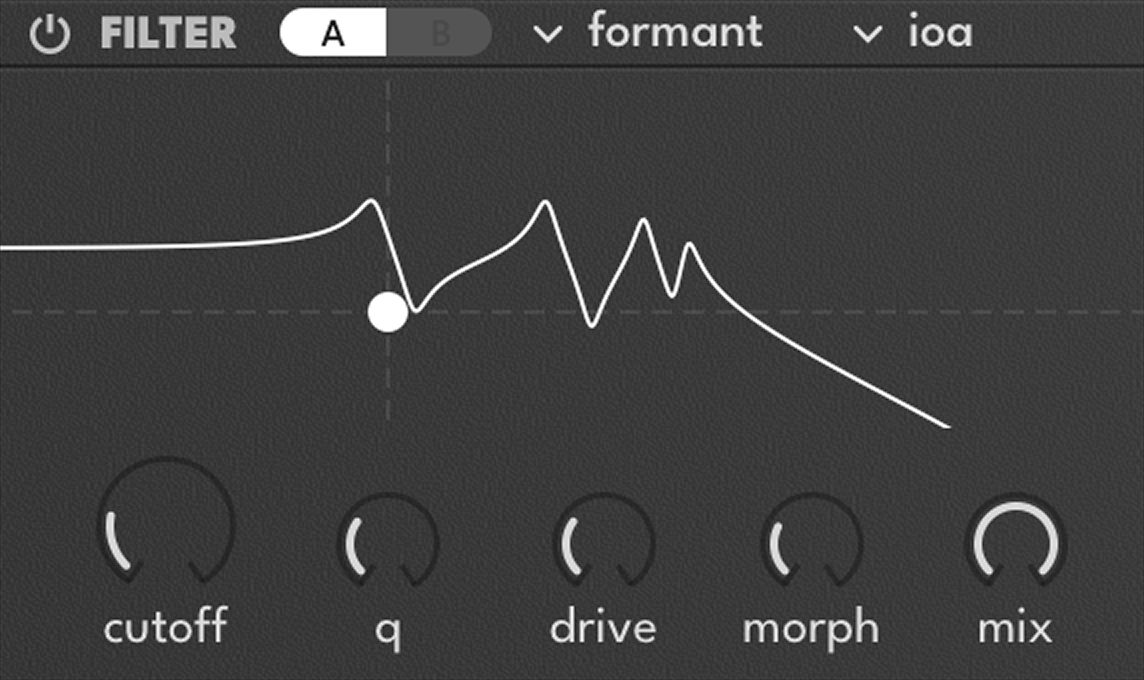
| Type | Sequence |
|---|---|
| aeio | A → E → I → O |
| ioa | I → O → A |
| backfront | Back vowels → Front vowels |
| yap | Percussive vowel sequence |
| diphthong | Gliding vowel transitions |
| round | Rounded vowel sequence |
| yeah | ”Yeah”-style vocal sweep |
Effects
Each band has an independent effect slot with 10 available types, applied after the output crossover.
Common Controls
| Control | Description |
|---|---|
| FX | Selects the effect type |
| Enable | Activate or bypass this module |
| Mix | Sets the effect mix (wet/dry) |
| Band Limit | Restricts the effect to the current frequency band |
FX Feedback Loop
Every effect slot includes a feedback loop — the output is fed back through a delay and saturation stage. Soft clipping prevents runaway. This turns any effect into a self-resonating processor.
| Control | Description |
|---|---|
| Feedback | Amount of signal fed back (0–100%) |
| Feedback Time | Delay time of the feedback loop (2–200 ms) |
| Feedback Tail | Decay of the feedback tail (up to 1 second) |
Cabinet
Speaker cabinet simulation with impulse response processing. The Model control morphs between virtual cabinets ranging from small combos to large speaker stacks, adding the color and resonance of physical speaker enclosures.
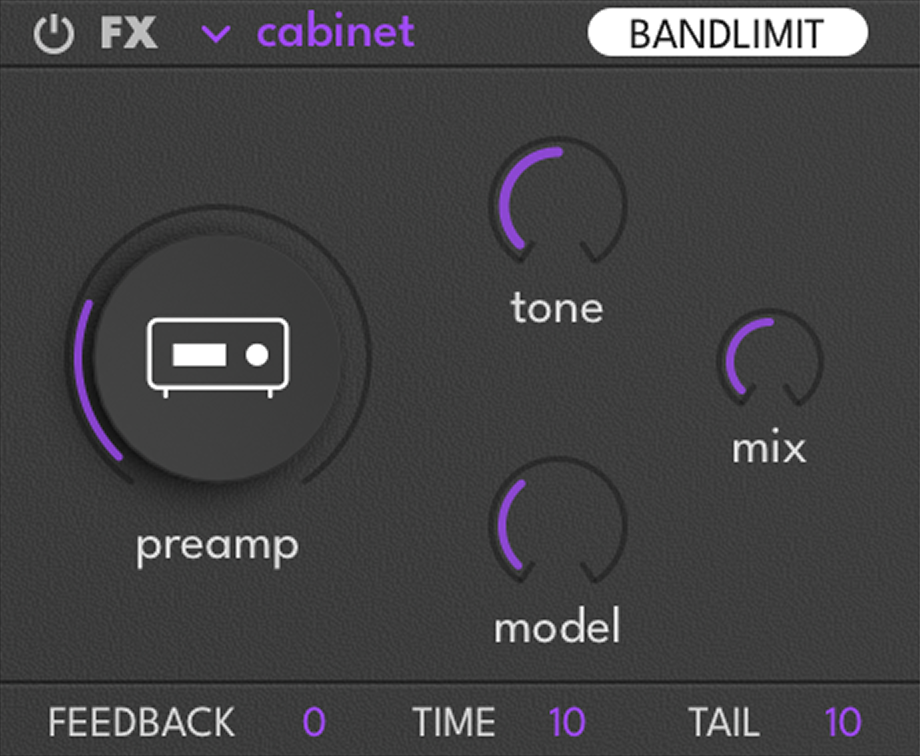
| Control | Description |
|---|---|
| Preamp | Drives the cabinet input for added warmth and saturation |
| Tone | Shapes the tonal character of the cabinet |
| Model | Morphs between cabinet simulation models |
Chorus
Modulated delay-based chorus with pitch shifting, spectral enhancement, and optional degradation. Erode introduces pitch instability at high values.
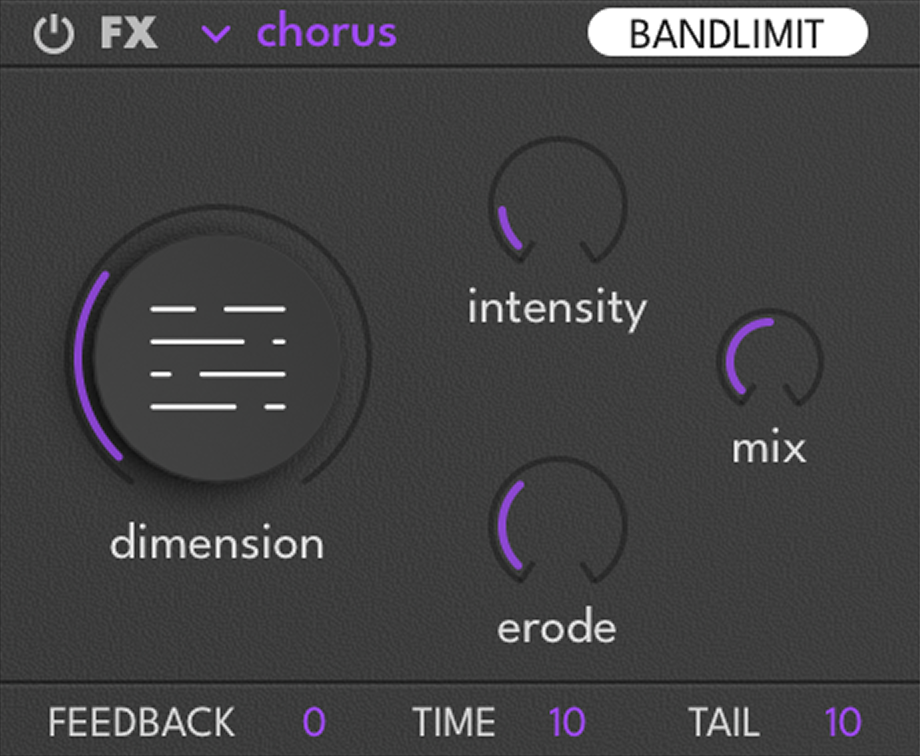
| Control | Description |
|---|---|
| Dimension | Sets the depth and width of the chorus effect |
| Intensity | Controls the chorus intensity |
| Erode | Adds drive and pitch instability |
Delay
Four delay algorithms covering clean digital repetition to degraded tape echoes and spatial motion effects.
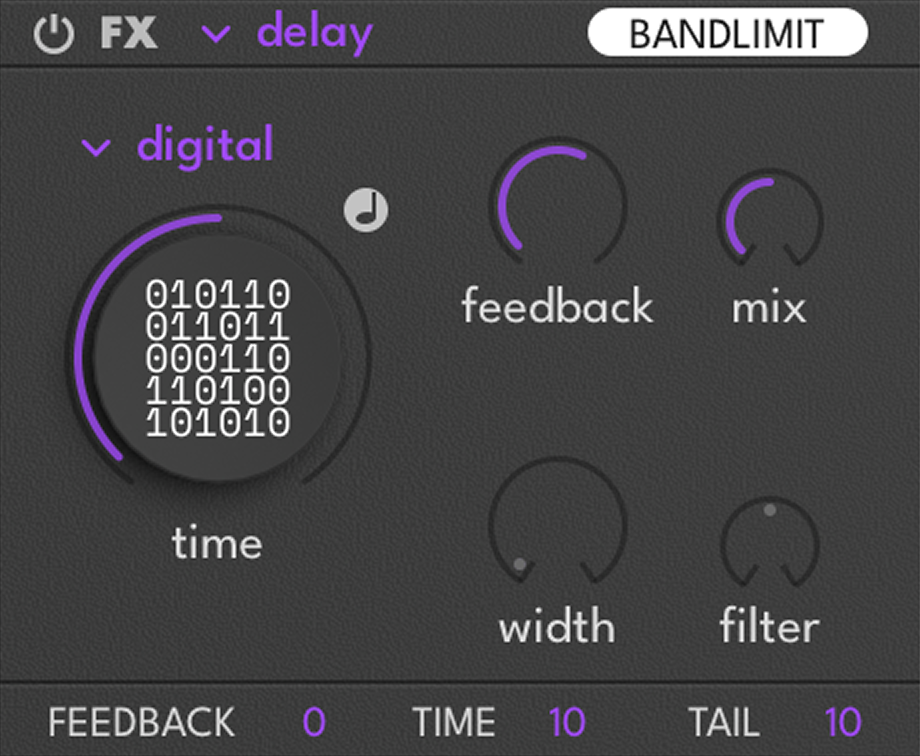
| Algorithm | Character |
|---|---|
| Digital | Clean, precise — transparent repeats |
| Tape | Warm, degraded — saturation and wow on repeats |
| Spin | Multi-tap delay network — tap times ranging from tight rhythmic echoes to dense, reverb-like washes |
| Velvet | Diffused, ambient — velvet noise for a soft, cloudy tail |
Digital
Complex lo-fi degradation: fuzz distortion, dispersion, chorus, frequency shifting, sample rate reduction, tremolo, and comb filtering.
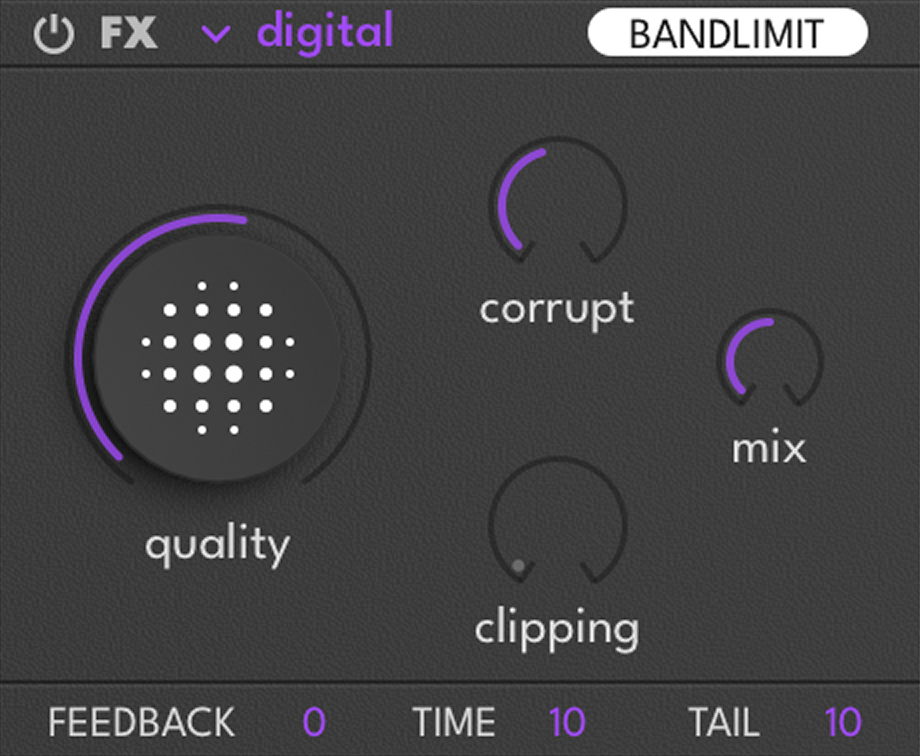
| Control | Description |
|---|---|
| Quality | Sample rate reduction amount |
| Corruption | Bit-crushing and glitching artifacts |
| Clipping | Hard clipping distortion amount |
Drift
Spectral DSP engine combining comb filtering and frequency shifting. Creates metallic resonances, inharmonic textures, and liquid timbral movement.
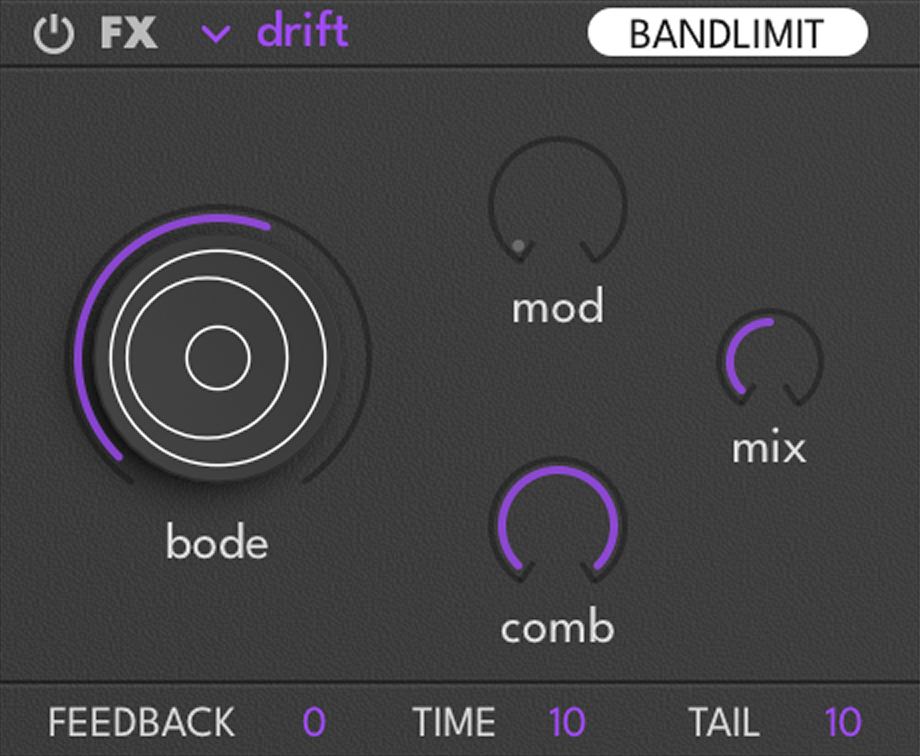
| Control | Description |
|---|---|
| Bode | Sets the frequency shift amount of the Bode shifter |
| Mod | Controls the depth of the drift modulation |
| Comb | Adds comb filtering to the signal |
Neuro
Spectral transformation engine combining phaser, chorus, and drive to sculpt rich, evolving harmonic textures. From subtle movement and warmth to deep, complex timbral mutation.
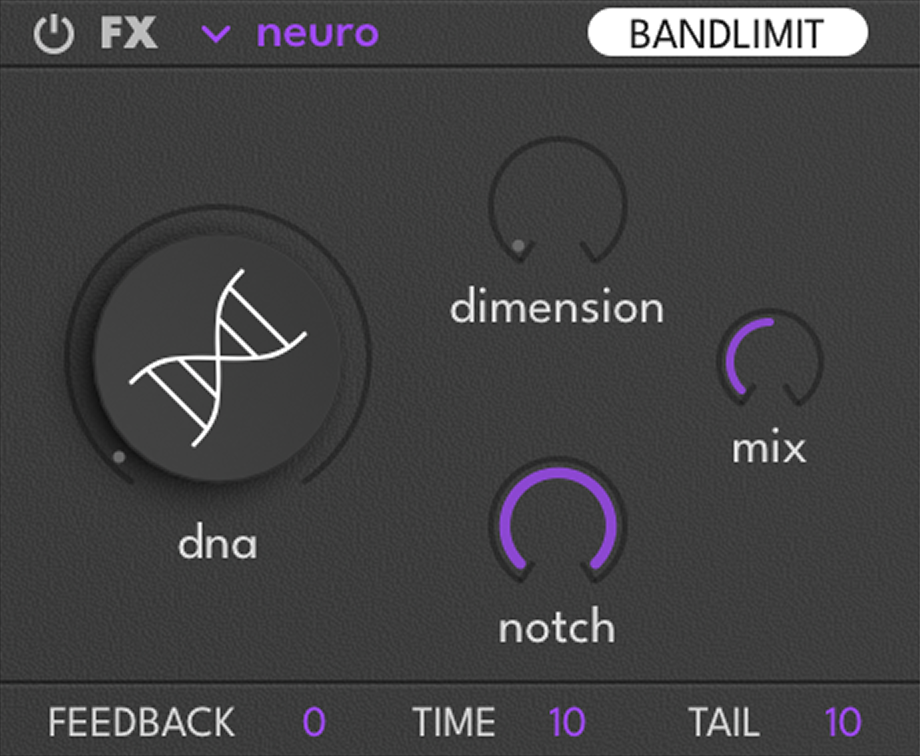
| Control | Description |
|---|---|
| DNA | Controls the timbral transformation |
| Dimension | Increases the voices and stereo field |
| Notch | Sets the depth of the spectral processing |
Reverb
Five reverb algorithms from general-purpose to specialized convolution types.
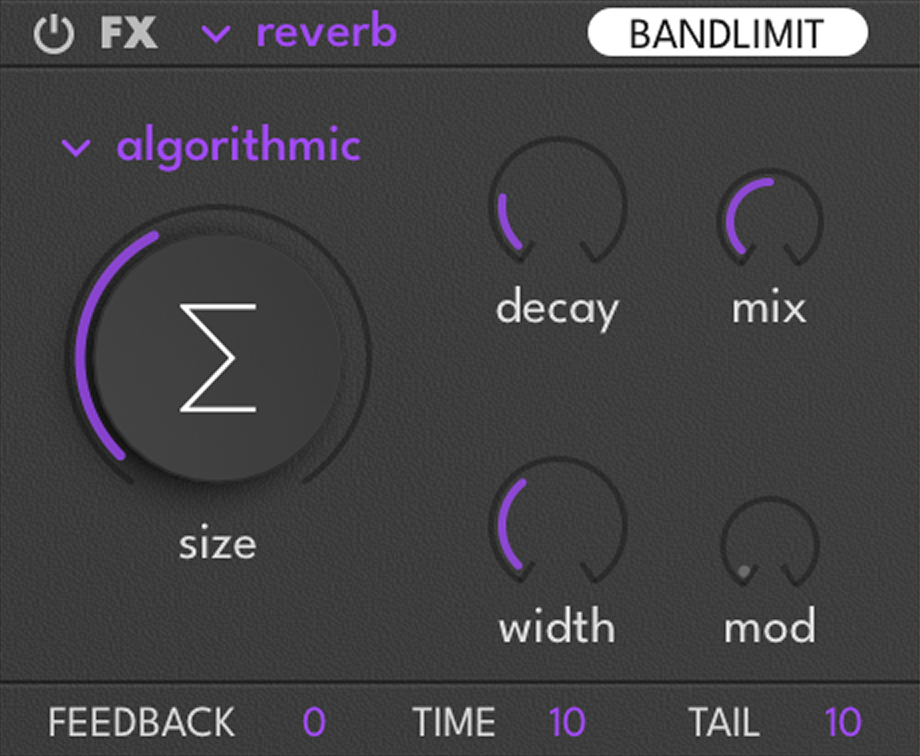
| Algorithm | Character |
|---|---|
| Algorithmic | SparkVerb engine — general-purpose, versatile |
| Realistic | Room simulation — natural space |
| Plate | Convolution plate — dense, smooth tail |
| Spring | Convolution spring — lo-fi, bouncy character |
| Swell | Bloom-style rising tail — swells after the attack |
Shifter
Pitch and frequency shifting with spectral destruction. Combine pitch shifting with frequency shifting for complex, inharmonic transformations.
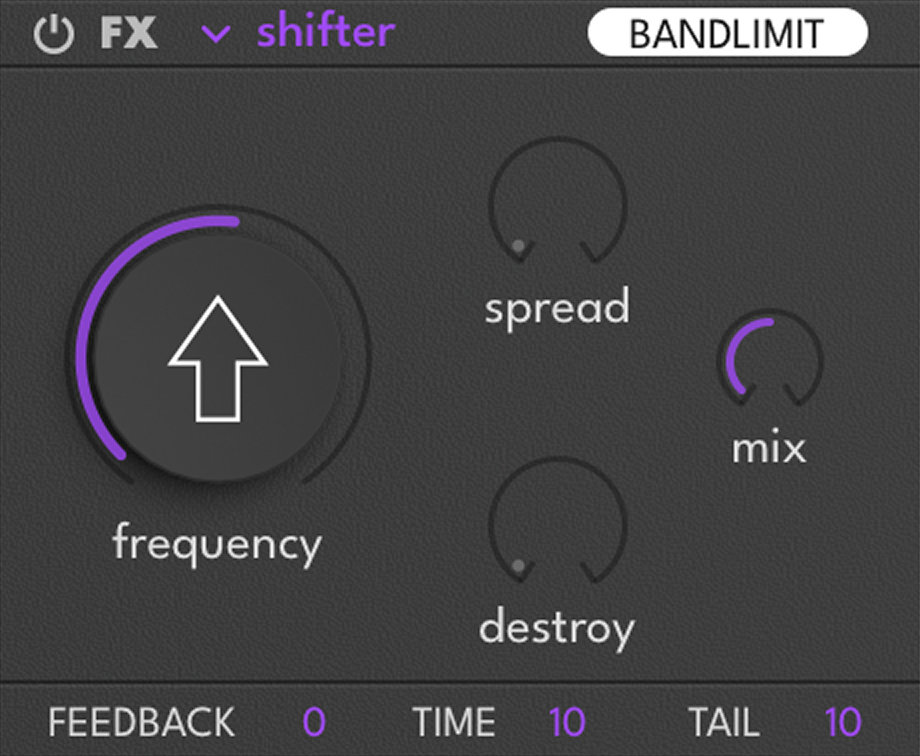
| Control | Description |
|---|---|
| Frequency | Sets the effect frequency |
| Spread | Detunes the signal and sets the stereo width |
| Destroy | Destroys the input signal |
Smasher
Transient-focused compression and saturation. Layered waveshaping and spectral enhancement for perceived loudness increase.
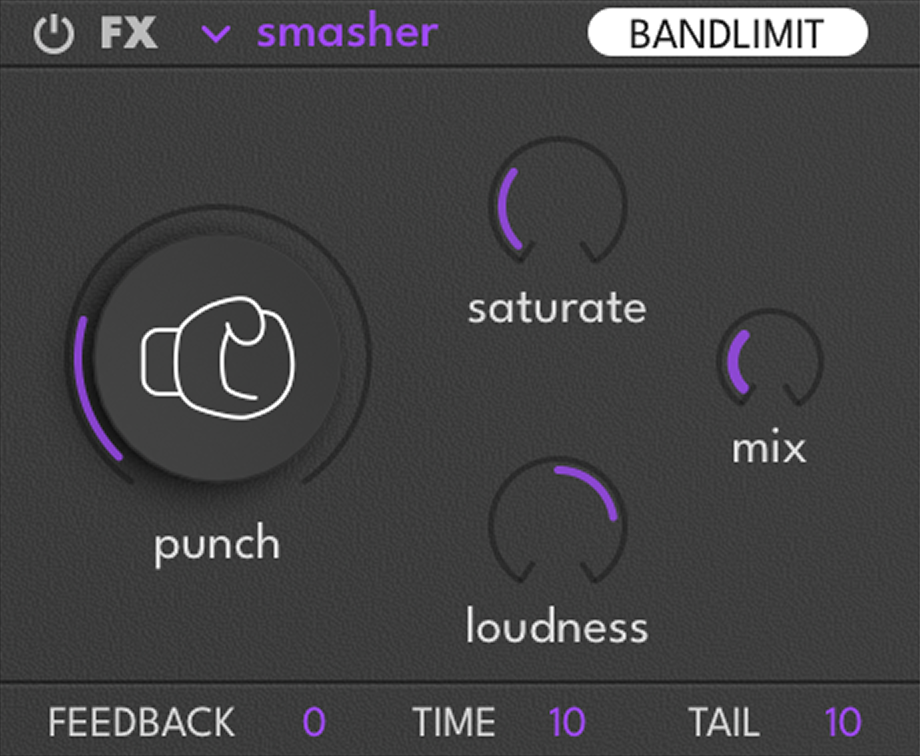
| Control | Description |
|---|---|
| Punch | Enhances the transient impact |
| Saturate | Drives the input signal |
| Loudness | Sets the perceived loudness |
Trasher
Destructive distortion chain: fuzz → waveshaping → spectral shifting → dynamic compression → convolution with analog device impulse response.
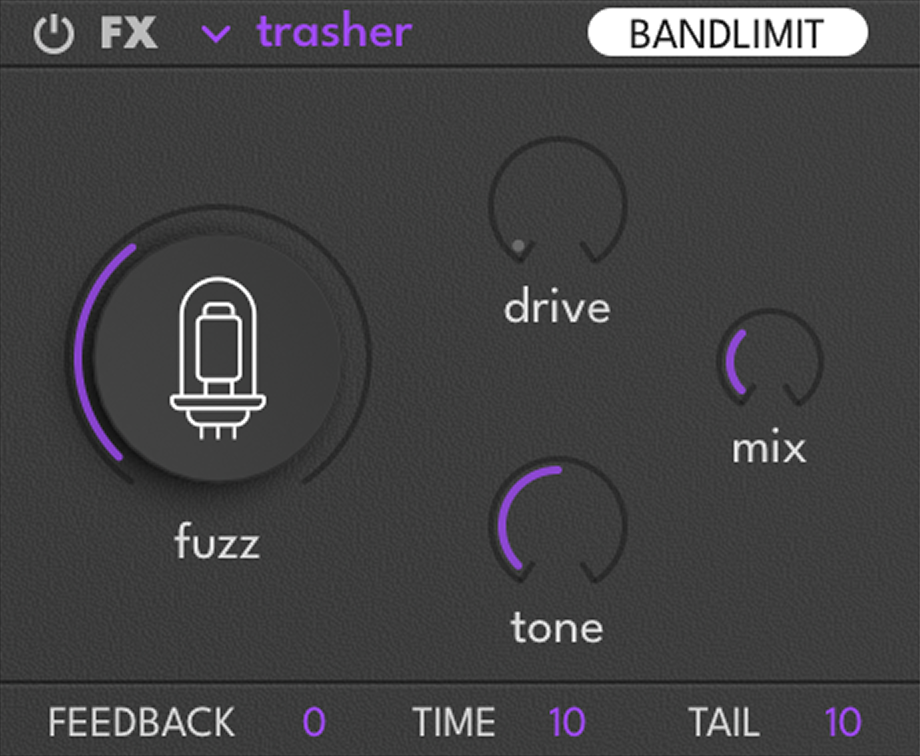
| Control | Description |
|---|---|
| Fuzz | Adds aggressive tube distortion |
| Drive | Controls the input gain into the distortion circuit |
| Tone | Shapes the tonal balance of the distortion |
Modulation
Rumble provides 33 modulation sources that can be routed to virtually any parameter. Each modulatable parameter has 2 modulation slots, each with a source selector and a bipolar ratio (±100%).
Workflow
Macros (1–16)
Sixteen automatable macro knobs in two pages (1–8 and 9–16). A single macro can control multiple parameters simultaneously with independent ratios. Visible to the DAW as automatable parameters.

MIDI Sources

| Source | Description |
|---|---|
| Velocity | Note velocity (0–1) |
| Mod Wheel | MIDI CC1 continuous controller (0–1) |
| Keytrack | Note number mapped to 0–1 range |
| Pitch Bend | Configurable range ±24 semitones, independent up/down |
Velocity and Keytrack include a graphical mapper — double-click to add breakpoints, right-click to remove, drag curves to shape the response.
Envelopes
Three ADSR envelopes: VCA (amplitude), Envelope 1, and Envelope 2. VCA always controls voice amplitude. Env 1 and 2 are freely assignable.

| Control | Description |
|---|---|
| Attack | Time to reach peak after note is pressed |
| Decay | Time to fall from peak to sustain level |
| Sustain | Level held while the note is pressed |
| Release | Time to fade out after the note is released |
| Curve | Shape of the envelope segment (linear to exponential) |
| Velocity | How strongly note velocity influences envelope depth |
| Depth | Amount of modulation applied (modulatable) |
| Legato | When enabled, the envelope does not retrigger on overlapping notes — it continues from its current position |
| ADR | When enabled, the envelope ignores note-off and runs Attack → Decay → Release automatically |
LFOs (1–4)
Four independent parametric LFOs. The interactive waveform display shows the resulting shape in real time. Shape, Symmetry, and Pulse Width let you create virtually any LFO shape.
LFO Mix merges all four LFOs into a single complex modulation source. Combine four LFOs at different rates for polyrhythmic patterns, pseudo-random movement, or complex evolving textures.
Analog Drift emulates analog circuit instability — slow, gentle random variation for micro-detuning and timbral wandering that adds warmth without obvious modulation.

| Control | Description |
|---|---|
| Shape | Shapes the curve of the LFO |
| Symmetry | Skews the waveform to shift its balance |
| Pulse Width | Adjusts the duty cycle |
| Phase | Sets the starting point of the LFO cycle |
| Speed | Controls the rate (Hz or synced divisions) |
| Depth | Amount of modulation applied (modulatable) |
| Bipolar | Toggle between positive-only or ± modulation |
| Tempo Sync | Switch between free-running Hz and tempo-synced divisions |
| Legato | When enabled, the LFO does not retrigger on new notes — it runs continuously |
MSEGs (1–2)
Two Multi-Segment Envelope Generators, each with up to 128 breakpoints. Double-click to add points, right-click to remove, drag curves to adjust shape. MSEGs have their own preset system.

| Control | Description |
|---|---|
| Rate | Playback speed (Hz or tempo-synced) |
| Depth | Amount of modulation applied (modulatable) |
| Bipolar | Toggle between positive-only or ± modulation |
| X Grid | Horizontal grid resolution (time divisions) |
| Y Grid | Vertical grid resolution (modulation values) |
| Snap | Forces drawn points to snap to the grid |
| Loop | Switches between loop and one-shot playback |
| Smooth | Applies smoothing to soften sharp steps or transitions |
| Brush | Drawing tool selector — Point, Ramp Down, Curved Ramp Down, Ramp Up, Curved Ramp Up, Step |
| Legato | When enabled, the MSEG does not retrigger on new notes — it continues from its current position |
Random Sources (1–3)

| Mode | Character |
|---|---|
| S&H | Classic stepped random — generates a new value at each cycle |
| Lorentz | Chaotic attractor — smooth, continuously evolving, never-repeating |
| Rossler | Chaotic attractor — more rhythmic and swirling character |
| Control | Description |
|---|---|
| Rate | Playback speed (Hz or tempo-synced) |
| Depth | Amount of modulation applied (modulatable) |
| Legato | When enabled, the random source does not retrigger on new notes — it continues from its current value |
Modulation Matrix
The Matrix tab provides a complete overview of all active connections, organized by destination (Body, Character, Air, Filter, FX, Global, Modulator). Ratio knobs are adjustable directly in the matrix view.

Master Section
Multiband Compressor
A 3-band compressor aligned with Body, Character, and Air. Accessed via the Compressor view tab.

| Mode | Character | Description |
|---|---|---|
| Clean | Transparent | Gentle leveling with minimal coloring. Preserves original dynamics. |
| FET | Fast, punchy | Ultra-fast attack (<0.2 ms). Catches the fastest transients. Inspired by hardware FET limiters. |
| HiFi | Musical | RMS-detected compression — responds to average level. Transparent and musical. |
| Opto | Smooth | Slow attack (50 ms) with program-dependent release. Inspired by optical compressors. |
| OTT | EDM-style | Aggressive upward + downward multiband compression. The classic “wall of sound” preset. |
| Punch | Transient-preserving | Slow attack lets transients through, then compresses the body. |
| Radio | Broadcast | Medium-slow release (300 ms) for smooth, consistent level. |
| Sub & Click | Band-specialized | Different compression settings per band — tight on the sub, punchy on the click. |
Master EQ
A 4-band parametric equalizer with real-time spectrum analyzer (visibility toggleable in Preferences). Drag control points to adjust frequency and gain, right-click a point to change filter type.

| Type | Description |
|---|---|
| Low Pass | Rolls off above the frequency |
| High Pass | Rolls off below the frequency |
| Notch | Removes a narrow band at the frequency |
| Low Shelf | Boosts/cuts everything below the frequency |
| High Shelf | Boosts/cuts everything above the frequency |
| Peak | Boosts/cuts a band centered at the frequency |
Tuning & Voicing
Global controls — apply to the entire instrument:
| Control | Description |
|---|---|
| Polyphony Mode | Polyphonic allows multiple MIDI notes simultaneously; Monophonic restricts to one note |
| Global Pitch | Shifts the overall tuning in semitones (±24) |
| Glide | Time to slide from one note to another (0–500 ms). Active in mono and legato playing. |
Unison — configured independently per band (Body, Character, Air):
| Control | Description |
|---|---|
| Voices | Number of unison voices stacked per note (1–8) |
| Detune | Slight pitch offset between unison voices |
| Width | Distributes unison voices across the stereo field |
Preset Browser
Factory Categories
 808
808  Dirty
Dirty  Drone
Drone  Cyber
Cyber  Reese
Reese  Growl
Growl  Motion
  Sharp
Sharp  Vintage
  Wobble
  Favorites
  User
User Preset Management
| Action | Description |
|---|---|
| New Preset | Reset to the factory init state |
| New from Template | Reset to your saved template — if no template has been saved, falls back to the factory init |
| Save As… | Save the current state with a name and category |
| Save As Template | Save the current state as your personal init template — replaces any previously saved template |
MSEG Presets
MSEGs have their own independent preset system. Save and load individual MSEG shapes separately from the main preset — useful for building a library of rhythmic patterns, complex envelopes, or custom curves.
Settings
Accessible from Options → Preferences.
| Setting | Options | Description |
|---|---|---|
| Polyphony | 1–16 | Sets the maximum number of simultaneous notes |
| Window Size | 70%, 100%, 125%, 200% | Resizes the plugin window |
| Theme | Dark, Bright | Switches between dark and bright visual themes |
| Virtual Keyboard | Show, Hide | Shows or hides the on-screen MIDI keyboard |
| Tooltips | Show, Hide | Shows or hides parameter tooltips |
| Spectrum | Show, Hide | Shows or hides the real-time spectrum analyzer in the EQ view |
Credits
| Role | Names |
|---|---|
| Product Lead | Thomas Kowalski |
| Software & Development | Thomas Kowalski, Rasmus Kürstein, Remy Muller, Judy Najnudel, Olivier Tristan |
| Marketing & Graphic Design | Laure Arbogast, Mallaury Carlier, Anthony Hak, Alice Leclerc, Nathaniel Reeves, Camille Vidalie |
| UI & UX Design | Efflam Le Bivic |
| Preset Management | Théo Gallienne |
| Sound Design | Devin Belanger, Carlo De Gregorio, Enzalla, Théo Gallienne, Inuka, Thomas Kowalski, Alix Labbé, Nomak, Nate Raubenheimer, Snakes Of Russia, Emeric Tschambser, Venus Theory, Virtual Riot |
| Documentation | Thomas Kowalski, Nathaniel Reeves, Kai Tomita, Olivier Tristan |